Category: Articles

  • Best AI for Calculus: Our Top 5 After 200 Hours of Testing

    After more than 200 hours researching and testing over a dozen AI tools on real calculus problems, our team and I have narrowed the field down to the five we actually recommend for 2026.

    Wolfram|Alpha keeps its crown as the most reliable calculus engine on the market, combining symbolic accuracy with step-by-step working that holds up against university-level coursework.

    In this guide, I’ll walk you through the strengths, pricing, and real limitations of each tool, so you can figure out which one (or which combination) actually fits how you study or teach calculus.

    Our Top 5 AI Tools for Calculus

    1. Wolfram|Alpha – Best all-round calculus engine
    2. Symbolab – Best for step-by-step learning
    3. Photomath – Best mobile homework helper
    4. Claude (Deep Research) – Best for conceptual explanations
    5. GeoGebra – Best for visual intuition

    Alongside testing each tool on the same curated problem set, I’ve recently updated the recommendations to reflect how these AI tools are being used for calculus in 2026, including the growing role of general-purpose LLMs like Claude and ChatGPT.

    • 12 major AI math tools tested
    • 180+ calculus problems run across all platforms
    • 200+ hours spent evaluating accuracy and explanations
    • Independent and unbiased recommendations

    AI for Calculus Comparison Table

    Here’s a quick side-by-side look at our top picks so you can see which one best matches your needs:

    ToolBest ForStarting PriceStep-by-StepSymbolic Engine
    Wolfram|AlphaAll-round calculusFree / $7.25 per month ProYes (Pro)Yes
    SymbolabStep-by-step learningFree / $6.99 per monthYesYes
    PhotomathMobile homeworkFree / $9.99 per month PlusYesPartial
    ClaudeConcepts and writingFree / $20 per month ProYes (text)No
    GeoGebraVisual intuitionFreeLimitedYes

    #1. Wolfram|Alpha: Best All-Round Calculus Engine

    Wolfram Alpha Homepage
    • Starting price: Free / $7.25 per month Pro (billed annually)
    • Step-by-step solutions: Yes (Pro tier)
    • Best for: Serious calculus work, from single-variable up to vector calculus and ODEs

    Wolfram|Alpha is the most reliable calculus tool I’ve tested, and it has held that position for years.

    Built on the same computational engine as Mathematica, it handles derivatives, integrals, limits, series expansions, multivariable calculus, and differential equations with a level of rigor that the general-purpose chatbots simply can’t match.

    The trade-off is that its interface is more utilitarian than a modern AI app, so there’s a small learning curve around query syntax.

    Pros

    • Symbolic engine handles virtually any calculus topic
    • Step-by-step working in Pro tier
    • Handles vector calculus, ODEs, and PDEs
    • Results are mathematically trustworthy

    Cons

    • Interface feels dated compared to chatbots
    • Step-by-step locked behind Pro subscription
    • Query syntax takes getting used to
    • Explanations are terse rather than pedagogical

    Recent update: Wolfram has continued to expand its natural language input, so you can now phrase calculus queries more conversationally instead of relying strictly on Mathematica syntax.

    I threw a mix of tricky integrals, limit problems with indeterminate forms, and a few multivariable optimization questions at Wolfram|Alpha, and it returned correct answers on every single one.

    The step-by-step working in Pro is particularly useful because it shows the rule being applied at each stage, like u-substitution or integration by parts, rather than just the intermediate expressions.

    That said, if you want a warm, conversational explanation of why a method works, you’ll probably want to pair Wolfram with a second tool.

    How Much Does Wolfram|Alpha Cost?

    • The basic web version is free and handles most calculus queries
    • Wolfram|Alpha Pro costs $7.25 per month billed annually, or $9.99 month to month
    • Step-by-step solutions require Pro
    • Student and educator discounts are available

    Why Use Wolfram|Alpha in 2026?

    With AI chatbots confidently producing incorrect math more often than most students realize, having a genuine computer algebra system as your ground truth matters more than ever.

    Wolfram|Alpha is the closest thing to a calculator you can trust for symbolic calculus, and in 2026 that reliability is its biggest selling point.

    Use it to verify what ChatGPT or Claude tells you, and you’ll avoid the most common trap of AI-assisted studying.

    Wolfram|Alpha is suitable for:

    • University students taking calculus, multivariable, or ODEs
    • Anyone who needs mathematically reliable answers
    • Teachers building worked examples

    Wolfram|Alpha isn’t suitable for:

    • Students who need gentle, conversational explanations
    • Users who want a snap-a-photo mobile workflow
    • Anyone avoiding paid subscriptions entirely

    #2. Symbolab: Best for Step-by-Step Learning

    Symbolab Homepage
    • Starting price: Free / $6.99 per month (billed annually)
    • Step-by-step solutions: Yes
    • Best for: Students who want to understand the process, not just the answer

    Symbolab is the tool I’d hand to a student who keeps getting the right answer for the wrong reasons.

    Its step-by-step explanations are more verbose and pedagogical than Wolfram’s, walking through intermediate algebraic manipulations in a way that mirrors how a tutor would work a problem on a whiteboard.

    It’s not as powerful as Wolfram for advanced topics, but for the standard calculus curriculum it’s a close second and often more digestible.

    Pros

    • Very detailed step-by-step working
    • Covers the full standard calculus curriculum
    • Practice problems and quiz features
    • Clean mobile and web experience

    Cons

    • Full steps locked behind subscription
    • Less capable than Wolfram on advanced topics
    • Occasional errors on edge cases
    • Heavy upsell in the free version

    Recent update: Symbolab has integrated an AI tutor chat feature that lets you ask follow-up questions about a step you don’t understand, which is a meaningful upgrade over its older static explanations.

    When I compared Symbolab’s derivative and integral workings to Wolfram’s, Symbolab consistently did a better job of explaining why a particular technique was chosen.

    For a student who’s struggling with integration by parts or partial fractions, that context is often more valuable than just seeing the next line of algebra.

    The downside is that you’ll hit paywalls quickly on the free tier, and I’d recommend the subscription if you’re planning to use it as your main study tool.

    How Much Does Symbolab Cost?

    • Free version shows final answers and limited steps
    • Symbolab Pro starts at $6.99 per month billed annually
    • Monthly billing is around $9.99 per month
    • No transaction fees or hidden costs

    Why Use Symbolab in 2026?

    Symbolab fills a specific niche: it’s the middle ground between a raw computational engine and a general-purpose chatbot.

    For students who want reliable math with real explanations, and who aren’t ready to bounce between Wolfram and Claude to get both, Symbolab is the single tool that comes closest to covering both needs in one interface.

    Symbolab is suitable for:

    • High school and early university calculus students
    • Self-learners who want guided working
    • Anyone preparing for standardized exams

    Symbolab isn’t suitable for:

    • Graduate-level or research calculus
    • Users who want a fully free experience
    • Complex multivariable or PDE work

    #3. Photomath: Best Mobile Homework Helper
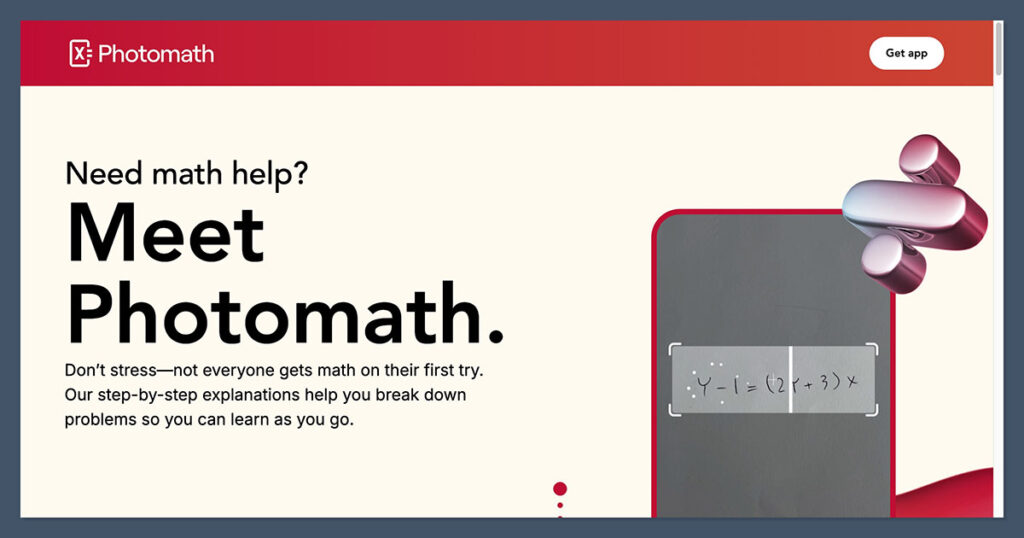
    Photomath Homepage
    • Starting price: Free / $9.99 per month Plus
    • Step-by-step solutions: Yes
    • Best for: Snap-and-solve mobile workflows

    Photomath is the most mainstream math app in the world for a reason. You point your phone at a handwritten or printed problem, and within seconds it parses the expression and returns a step-by-step solution.

    For calculus, it handles most standard derivative and integral problems well, though it does start to struggle once you get into multivariable territory or less common techniques.

    Pros

    • Excellent camera-based problem recognition
    • Free tier is genuinely useful
    • Animated step-by-step working
    • Works offline for basic features

    Cons

    • Weaker on advanced calculus
    • Mobile-only (no serious desktop version)
    • Plus subscription for full explanations
    • Can encourage copying over learning

    Recent update: Photomath, now owned by Google, has been quietly improving its handling of calculus problems and integrating more conceptual explanations alongside the raw steps.

    I tested Photomath with handwritten derivative and integration problems from a first-year calculus textbook, and its recognition was impressively accurate even on slightly messy handwriting.

    Where it falls short is on anything that requires interpretation beyond what’s visually on the page, such as applied optimization word problems or setups that depend on a diagram.

    For pure symbol-crunching on a phone, though, it’s still the benchmark.

    How Much Does Photomath Cost?

    • Free version includes basic step-by-step solutions
    • Photomath Plus is $9.99 per month or around $69.99 per year
    • Plus unlocks detailed explanations and textbook solutions
    • Family sharing is supported on iOS

    Why Use Photomath in 2026?

    In an era where most studying happens on a phone between other tasks, Photomath is the lowest-friction way to get a calculus problem solved and explained.

    It won’t replace a proper symbolic engine for serious work, but as a quick check or a homework rescue tool it remains in a category of its own.

    The pedagogy question is worth taking seriously, though: Photomath works best when you use it to verify your own work, not to substitute for it.

    Photomath is suitable for:

    • High school students
    • Quick homework verification
    • Mobile-first learners

    Photomath isn’t suitable for:

    • Advanced university-level calculus
    • Desktop study sessions
    • Students trying to build deep conceptual understanding

    #4. Claude: Best for Conceptual Explanations
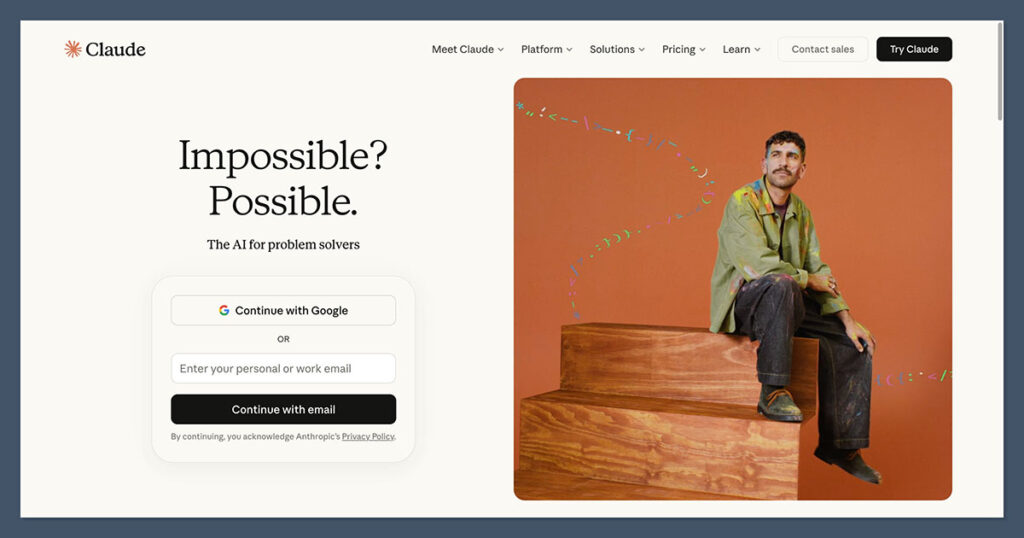
    Claude AI
    • Starting price: Free / $20 per month Pro
    • Step-by-step solutions: Yes (text-based)
    • Best for: Understanding the why behind calculus

    Claude isn’t a symbolic math engine, and it’s important to be honest about that upfront. What it is, though, is the best conversational partner I’ve used for working through calculus conceptually.

    Ask it to explain why the chain rule works, why integration by parts is just the product rule run backwards, or how to set up a related rates problem, and it produces explanations that genuinely compete with a good textbook.

    Its Deep Research mode also makes it useful for mapping the broader landscape of calculus resources and pedagogy.

    Pros

    • Outstanding conceptual explanations
    • Handles follow-up questions naturally
    • Deep Research mode for literature work
    • Free tier is generous

    Cons

    • Not a symbolic engine (can make arithmetic errors)
    • Advanced problems need verification
    • No graphing or visualization
    • Best features need Pro subscription

    Recent update: Claude’s Deep Research mode now runs multi-step literature searches and outputs structured reports, which is particularly useful if you’re writing about calculus pedagogy or comparing teaching methods.

    When I asked Claude to walk me through a tricky epsilon-delta limit proof, it produced an explanation that was clearer than most textbooks I’ve read, and it happily adjusted the level of detail when I asked follow-up questions.

    Where I got burned was on a long multivariable problem that involved several numerical steps: Claude got the overall approach right, but made a small arithmetic slip halfway through.

    That’s the pattern I saw consistently with general LLMs on calculus, which is why I treat them as explanation tools rather than answer sources.

    How Much Does Claude Cost?

    • Free tier includes daily message limits on the main model
    • Claude Pro is $20 per month and unlocks higher limits and Deep Research
    • No per-problem or per-query fees
    • Team and enterprise plans are available

    Why Use Claude in 2026?

    Calculus is as much about intuition as it is about computation, and that intuition is exactly where Claude shines.

    In 2026, the smartest study workflow I’ve seen from students is to run the math through Wolfram or Symbolab, then bring the result to Claude and ask it to explain what’s happening conceptually.

    Used this way, Claude becomes something closer to a patient tutor than a homework solver.

    Claude is suitable for:

    • Students who need concepts explained clearly
    • Writing up solutions and proofs
    • Researching calculus pedagogy

    Claude isn’t suitable for:

    • Trusting raw numerical answers without verification
    • Symbolic manipulation of complex expressions
    • Graphing or visual exploration

    #5. GeoGebra: Best for Visual Intuition
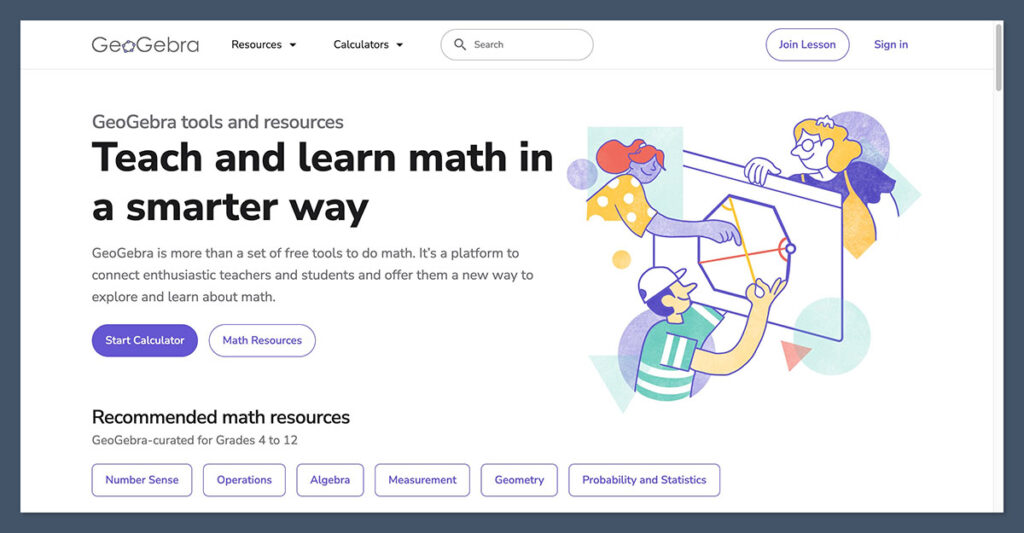
    GeoGebra Homepage
    • Starting price: Free
    • Step-by-step solutions: Limited
    • Best for: Graphing, dynamic exploration, and visual learning

    GeoGebra is the tool I reach for whenever I want to see a calculus concept rather than compute it.

    Watching a tangent line slide along a curve, visualizing the area under a function as Riemann rectangles shrink, or rotating a 3D surface to understand a partial derivative, these are things that no chatbot can substitute for.

    GeoGebra is completely free, works in the browser and on mobile, and remains one of the most underrated tools in the entire math-learning ecosystem.

    Pros

    • Completely free with no paywalls
    • Outstanding 2D and 3D graphing
    • Dynamic, interactive exploration
    • Huge library of user-made activities

    Cons

    • Not primarily a step-by-step solver
    • Interface can feel cluttered at first
    • Less useful for pure symbolic manipulation
    • No AI-style conversational help

    Recent update: GeoGebra’s CAS view has continued to improve, meaning you can now do more symbolic calculus directly in the same environment where you build your graphs and visualizations.

    I used GeoGebra to quickly sketch a handful of functions and their derivatives side by side, and within minutes I had an interactive worksheet I could share with students.

    That’s the real strength of GeoGebra: the speed at which you can build something that makes a calculus concept click. It’s not trying to be a homework solver, and that’s exactly why it complements the other tools on this list so well.

    How Much Does GeoGebra Cost?

    • GeoGebra is free for students, teachers, and casual users
    • No paywalls on core graphing or CAS features
    • Some classroom and exam features require a free account
    • Mobile and desktop versions are both free

    Why Use GeoGebra in 2026?

    As AI tools get better at producing written explanations, the thing they still can’t easily replicate is the experience of dragging a slider and watching a curve respond. GeoGebra gives you that, and in a learning environment where students are increasingly passive recipients of AI-generated text, active visual exploration is arguably more valuable than ever.

    GeoGebra is suitable for:

    • Visual learners
    • Teachers building interactive lessons
    • Exploring multivariable calculus geometrically

    GeoGebra isn’t suitable for:

    • Users who only want a solver
    • Quick homework check workflows
    • Students who don’t benefit from visual aids

    How Do I Choose the Right AI for Calculus?

    To choose the right AI tool for calculus, you should evaluate several key factors, ranging from mathematical accuracy and explanation quality to pricing and the type of problems you actually face.

    No single tool wins on every front, which is why most serious students end up using a small stack of two or three.

    Below is a checklist of what I’d look at before committing to any tool as your main calculus helper:

    • Mathematical accuracy: Does the tool use a real symbolic engine, or is it a language model guessing at math? Can you trust its answers without verification?
    • Explanation quality: Does it just show the answer, or does it walk you through the reasoning in a way that helps you learn?
    • Topic coverage: Does it handle the specific calculus you need, from single-variable all the way up to multivariable, vector calculus, and differential equations?
    • Interface: Is it comfortable to use on the device you actually study on? Is the query syntax intuitive?
    • Pricing: Is there a usable free tier? Are the most important features (like step-by-step working) locked behind a paywall?
    • Visualization: Can you graph functions, explore surfaces, or see geometric interpretations of concepts?
    • Verification workflow: Can you easily cross-check one tool’s answer against another? This matters more than most people realize.
    • Learning versus solving: Be honest with yourself about what you need. A tool that’s perfect for finishing homework fast might be terrible for actually learning the material.

    Can I Use More Than One AI Tool for Calculus?

    Yes, and honestly, you should. The best setup for most students is to combine a symbolic engine like Wolfram|Alpha or Symbolab for reliable answers, a conversational AI like Claude for conceptual explanations, and a visual tool like GeoGebra for building intuition.

    Each of these plays a different role, and using them together costs almost nothing extra since most have generous free tiers.

    How We Test AI Tools for Calculus

    For this guide, we put 12 leading AI tools through a consistent testing process to determine our ranking and recommendations.

    Our team spent over 200 hours running the same curated set of calculus problems through every platform, covering everything from limits and derivatives to tricky integrals, multivariable optimization, and first-order differential equations.

    We focused on six core categories, each given a weighting to reflect what matters most for actual calculus work:

    CategoryWeightWhat We Looked At
    Mathematical Accuracy30%Correctness across a curated problem set, including edge cases and advanced topics
    Explanation Quality25%How clearly the tool walks through its reasoning and whether explanations actually help learning
    Topic Coverage15%Range of calculus topics handled, from introductory to graduate-level
    User Experience15%Interface, query syntax, mobile and desktop usability
    Pricing10%Value of free tiers and whether paid features justify the cost
    Reliability5%Consistency across repeated queries and resilience to unusual inputs

    I ran every problem through each tool myself, which means the observations in this guide come from direct hands-on testing rather than marketing claims. You can read my summary of this year’s research below.

    My AI Calculus Testing Summary

    After testing all of these tools head to head, I have my personal favorites (Wolfram|Alpha for raw power and Claude for explanations), but I stand by our 2026 rankings across the board.

    What this kind of comparison really teaches you is that the “best” AI for calculus depends heavily on what you’re actually trying to do.

    Wolfram|Alpha keeps its top spot because no other tool comes close on mathematical reliability. It handled every problem I threw at it correctly, and its step-by-step working in Pro is the gold standard for symbolic calculus.

    Symbolab and Photomath are both excellent in their respective niches, with Symbolab offering the most pedagogical step-by-step explanations and Photomath dominating the mobile snap-and-solve use case.

    Claude, meanwhile, is the tool I’d recommend for anyone who wants to actually understand the material rather than just get past the homework, and GeoGebra remains the quietly essential visual companion that every calculus student should have bookmarked.

    Key Takeaways

    • Wolfram|Alpha is our top-rated calculus AI, offering the most reliable symbolic engine for derivatives, integrals, limits, series, multivariable calculus, and differential equations
    • Pricing ranges from completely free (GeoGebra, Claude free tier) to around $20 per month (Claude Pro, ChatGPT Plus) – Symbolab and Photomath sit in the middle around $7–10 per month
    • No single tool wins every category – the best setup for most students combines a symbolic engine like Wolfram|Alpha with a conceptual AI like Claude and a visual tool like GeoGebra
    • Photomath and Symbolab are strongest for mobile, snap-and-solve homework use, while Wolfram|Alpha is the go-to for advanced and research-level calculus
    • General LLMs like Claude, ChatGPT, and Gemini are good at explaining concepts and writing up solutions, but should not be trusted as the sole source of numerical answers without a symbolic engine to verify them

    Final Verdict: Which AI for Calculus Do I Recommend?

    Our research process points clearly to Wolfram|Alpha as the best overall AI tool for calculus in 2026.

    It’s the only option on this list that combines genuine symbolic power with the kind of mathematical reliability you can build a study workflow around.

    That said, the real recommendation is to stop thinking of this as a single-tool decision.

    Pair Wolfram|Alpha with Claude for explanations and GeoGebra for visualization, and you’ve built a calculus study stack that outperforms any single app.

    If you’re unsure where to start, all three of those have free tiers worth trying before you commit to any paid subscription.
  • What Is the GMAT? How It Works, What It Costs, and Who Needs It

    The GMAT was completely overhauled in 2024, and most guides online still describe the old version. If you’ve been Googling “what is the GMAT” and found conflicting information about sections, scores, and test length, that’s why.

    The Graduate Management Admission Test is a standardized exam administered by GMAC (Graduate Management Admission Council). It’s the primary admissions test for MBA and graduate business programs, accepted by over 7,700 programs at 2,400+ schools across 114 countries. The current version runs 2 hours and 15 minutes, covers 3 sections totaling 64 questions, and scores on a 205 to 805 scale.

    (more…)
  • Best Online Learning Platforms of 2026:Our Top 5

    With over 150 hours researching and testing 15 of the best online learning platforms, our in-house experts and I have shortlisted our top five recommendations for 2026.

    Khan Academy is our number one choice for the second year in a row, offering the strongest free curriculum available – particularly in math and science – along with an AI-powered tutor that genuinely teaches instead of just giving answers.

    Our Top 5 Online Learning Platforms

    1. Khan Academy – Best free learning platform
    2. Coursera – Best for degrees and certificates
    3. Udemy – Best for affordable skills training
    4. edX – Best for university-level courses
    5. Skillshare – Best for creative learners

    Comparing the Best Online Learning Platforms

    Take a look at our top online learning platform picks side-by-side to see which best suits your needs:

    PlatformBest ForStarting PriceFree OptionAI Features
    Khan AcademyFree learning (especially math)FreeFull platform is freeKhanmigo AI tutor ($4/mo)
    CourseraDegrees & certificates$49 per courseFree audit on many coursesAI-powered course recommendations
    UdemyAffordable skills training~$10 on saleSome free coursesAI assistant for Q&A
    edXUniversity-level coursesFree auditFree audit on most coursesAI-driven learning paths
    SkillshareCreative & practical skills$13.99/month7-day free trialAI-powered recommendations

    #1. Khan Academy: Best Free Learning Platform

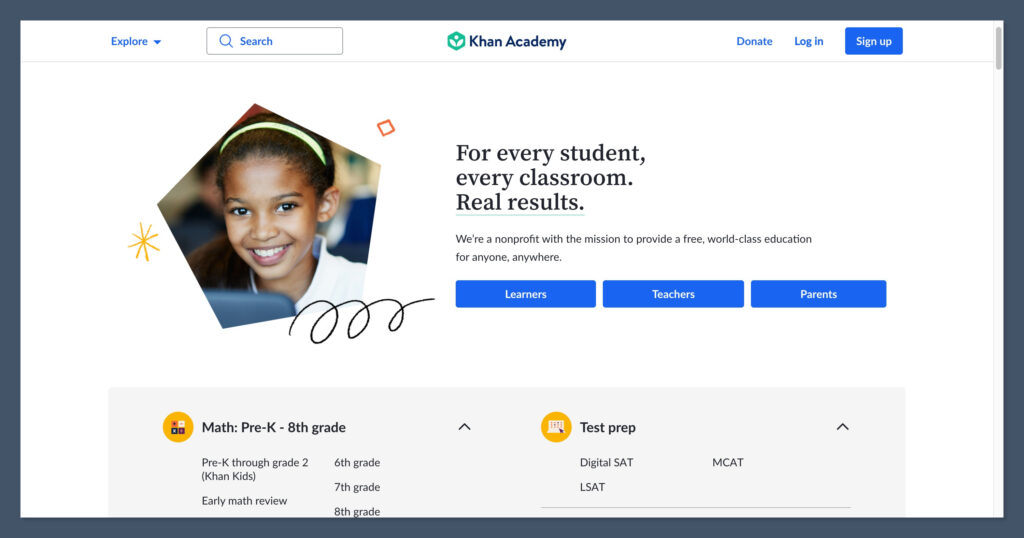
    Khan Academy Homepage

    💰 Starting price: Free (Khanmigo AI tutor: $4/month)

    🤖 AI features: Khanmigo conversational AI tutor

    📱 Available on: Web, iOS, Android

    Khan Academy is the best online learning platform I’ve tested, and it holds our top position for 2025.

    As a nonprofit, Khan Academy offers its entire library of courses, practice exercises, and instructional videos completely free of charge. After spending weeks exploring its math curriculum in particular – from basic arithmetic through AP Calculus – I can see why it’s trusted by over 150 million learners worldwide.

    The content is well-structured, the practice exercises are genuinely adaptive, and the addition of the Khanmigo AI tutor has transformed the platform into something that rivals paid alternatives.

    ✔️ Pros

    • Entirely free – no ads, no paywalls
    • Exceptional math and science curriculum (K-12 through college)
    • Khanmigo AI tutor uses Socratic method to guide learning
    • Personalized learning dashboard tracks progress
    • Trusted by schools and districts worldwide

    ❌ Cons

    • Limited advanced professional or niche content
    • No formal accredited certificates or degrees
    • Interface can feel busy for new users
    • Khanmigo AI tutor is a paid add-on ($4/month)

    In January 2026, Khan Academy expanded its partnership with Google to integrate the Gemini AI model into literacy tools.

    Khanmigo’s math tutoring engine has also been upgraded to GPT-4 Omni, improving accuracy and conversational quality.

    I tested Khan Academy’s math track most extensively, and I was impressed by how well the platform adapts to each learner’s level.

    When I deliberately missed problems in algebra, the system immediately served up review exercises targeting my specific gaps.

    The instructional videos are clear, concise, and well-paced – Sal Khan has a knack for making complex concepts feel approachable.

    And with the Khanmigo AI tutor, the experience goes even further: instead of just serving up the answer, it asks guiding questions to lead you toward the solution yourself.

    For parents and students looking for math support, Khan Academy is particularly strong. The K-12 math curriculum aligns with common national standards, and the practice exercises include thousands of problems with instant feedback. Common Sense Media rated Khanmigo as a top educational AI tool, and it scored high for safety, transparency, and learning quality.

    How Much Does Khan Academy Cost?

    • Khan Academy’s full platform is 100% free – no subscription required
    • Khanmigo AI tutor costs $4 per month (or $44 per year) for learners and parents
    • Teachers in the US get free access to Khanmigo tools
    • Parents can add up to 10 children to a single Khanmigo subscription

    Bottom Line: Should You Use Khan Academy?

    Khan Academy offers the best value in online education – period. Its comprehensive curriculum, especially in math and science, is available to anyone for free.

    The addition of Khanmigo brings genuine AI tutoring to the platform for the price of a coffee per month. Whether you’re a student brushing up on algebra, a parent supporting your child’s learning, or a teacher supplementing your classroom, Khan Academy delivers.

    Khan Academy is suitable for:

    • Students who need a strong math and science foundation
    • Parents looking for a free, trusted educational resource
    • Teachers who need tools to track student progress

    Khan Academy isn’t suitable for:

    • Professionals seeking accredited certificates or degrees
    • Learners who want advanced niche or professional skills
    • Users who prefer a more modern, polished interface

    #2. Coursera: Best for Degrees and Certificates

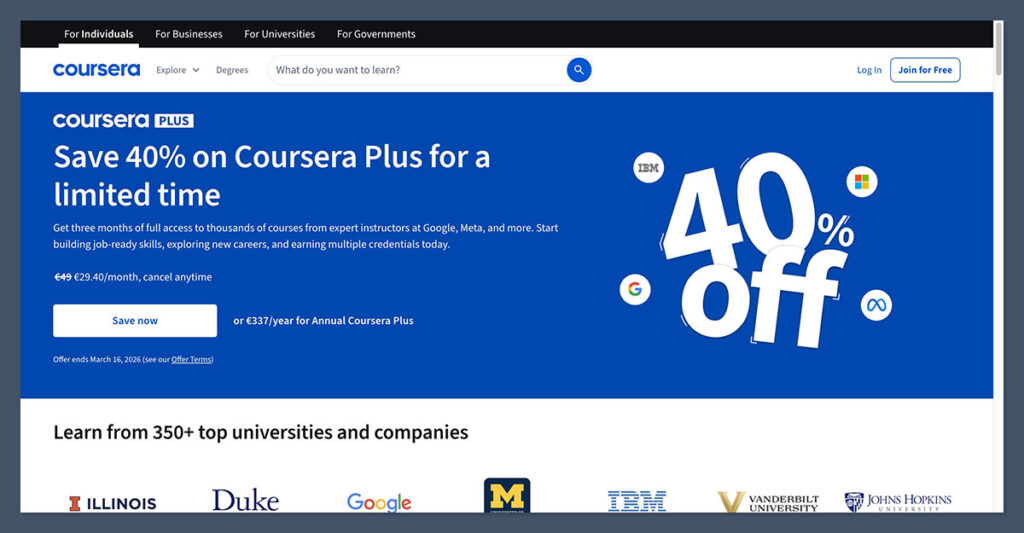
    Coursera Homepage

    💰 Starting price: Free audit / $49 per course / $59/month for Coursera Plu

    🤖 AI features: AI-powered course recommendations and learning coach

    📱 Available on: Web, iOS, Android

    According to our experts, Coursera remains the best platform for earning recognized credentials in 2025. Partnered with over 300 leading universities and companies – including Yale, Stanford, Google, and IBM – Coursera offers everything from free course audits to full accredited degrees.

    From my testing, its structured learning paths and rigorous assessment methods set it apart from less formal alternatives.

    If you’re looking for a credential that carries weight on a resume, Coursera is where you should start.

    ✔️ Pros

    • Partnerships with 300+ top universities and companies
    • Recognized professional certificates (Google, IBM, Meta)
    • Accredited online degrees from leading universities
    • Many courses can be audited for free
    • Coursera Plus offers unlimited access to 7,000+ courses

    ❌ Cons

    • Degree programs can be expensive ($9,000–$50,000+)
    • Free audit mode limits access to graded work and certificates
    • More structured and time-intensive than self-paced alternatives
    • Coursera Plus doesn’t include degrees or MasterTrack programs

    Coursera is currently offering a 40% discount on Coursera Plus for the first 3 months, bringing the monthly price down to $35.40. The platform has also expanded its AI learning coach feature across more courses.

    I tested Coursera by enrolling in a data science specialization and auditing several individual courses.

    The quality of instruction is consistently high – you can tell these are real university-level courses, complete with rigorous assignments and peer-reviewed projects.

    The Google Professional Certificates in particular are excellent: they’re designed to get you job-ready in fields like data analytics, IT support, and project management, and they can be completed in under six months.

    For math and STEM learners specifically, Coursera stands out with its depth. You can audit university-level math courses from institutions like MIT, Stanford, and Johns Hopkins, covering everything from calculus and linear algebra to statistics and machine learning.

    If you’re beyond the foundational level that Khan Academy covers and want something with academic rigor and a recognized credential, Coursera is the natural next step.

    How Much Does Coursera Cost?

    • Individual courses range from free (audit) to approximately $49–$99 for a certificate
    • Specializations and Professional Certificates cost $49 per month
    • Coursera Plus costs $59 per month or $399 per year (unlimited access to 7,000+ courses)
    • Online degrees range from $9,000 to $50,000+
    • Financial aid is available for eligible learners

    Bottom Line: Should You Use Coursera?

    Coursera is the gold standard for online credentials. Its university partnerships and professional certificate programs are recognized by employers worldwide, and the ability to audit courses for free means you can try before you commit.

    For serious career changers and students who want a credential that matters, Coursera delivers quality that justifies its price.

    Coursera is suitable for:

    • Career changers who need recognized certificates
    • Students pursuing affordable online degrees
    • Professionals upskilling in data science, tech, or business

    Coursera isn’t suitable for:

    • Casual learners who just want to browse topics
    • Users who want completely free access with no restrictions
    • Learners looking for creative or hobby-based courses

    #3. Udemy: Best for Affordable Skills Training

    udemy homepage

    💰 Starting price: ~$10–$15 on sale (regular prices up to $199)

    🤖 AI features: AI assistant for Q&A, personalized recommendations

    📱 Available on: Web, iOS, Android

    Udemy is our expert recommendation for anyone who wants affordable, flexible skills training across virtually any topic.

    With over 200,000 courses on the platform, Udemy operates as an open marketplace – meaning anyone can create and sell a course, which keeps prices low and topic coverage incredibly broad.

    I found that during Udemy’s frequent sales (which happen almost constantly), most courses drop to $10–$15, making it one of the most budget-friendly ways to learn new skills online.

    ✔️ Pros

    • Massive catalog of over 200,000 courses
    • Very affordable during frequent sales ($10–$15 per course)
    • Covers virtually every topic imaginable
    • Lifetime access to purchased courses
    • 30-day money-back guarantee

    ❌ Cons

    • Quality is inconsistent across the marketplace
    • Certificates are not widely recognized academically
    • No structured learning paths or degree programs
    • Full prices ($50–$199) are rarely worth paying

    When testing Udemy, I enrolled in several math and programming courses to assess quality.

    The experience varies widely – some instructors are fantastic, with clear explanations and well-structured content, while others fall short. The key is to check ratings and reviews before purchasing.

    Courses with 4.5+ stars and thousands of reviews are generally reliable. I found some excellent math courses covering topics from statistics to calculus at a fraction of what you’d pay on other platforms.

    Udemy’s biggest advantage is its pay-per-course model with lifetime access. Unlike subscription platforms, you buy a course once and keep it forever, which is ideal for self-paced learners who might return to material over time.

    The platform also offers Udemy Business for corporate training, which provides a curated library of high-quality courses with analytics and admin tools for companies.

    How Much Does Udemy Cost?

    • Individual courses range from $10–$15 on sale (sales run almost constantly)
    • Regular prices range from $20 to $199, but sales are the norm
    • Purchased courses include lifetime access
    • Udemy Business starts at $30 per user per month for teams
    • Some free courses are available on the platform

    Bottom Line: Should You Use Udemy?

    Udemy is the most affordable way to learn practically any skill online. Its marketplace model means you’ll need to be selective about course quality, but when you find a great instructor, the value is unbeatable.

    If you’re looking for flexible, budget-friendly learning across a wide range of topics, Udemy is hard to beat – just make sure to buy during a sale.

    Udemy is suitable for:

    • Budget-conscious learners who want affordable courses
    • Self-paced learners who value lifetime access
    • Anyone looking to explore a wide range of topics

    Udemy isn’t suitable for:

    • Learners who need recognized academic credentials
    • Users who want guaranteed course quality without research
    • Students looking for structured degree programs

    #4. edX: Best for University-Level Learning

    edx homepage

    💰 Starting price: Free audit / Certificates from ~$50–$300

    🤖 AI features: AI-driven learning paths and Xpert chatbot

    📱 Available on: Web, iOS, Android

    If you want the rigor of a university course without the university price tag, edX is the platform I recommend. Founded by Harvard and MIT, edX partners with over 160 universities to offer courses that match the depth and quality of on-campus learning.

    The platform is particularly generous with free access – most courses can be fully audited at no cost, including lectures, readings, and some practice exercises.

    You only pay if you want a verified certificate or access to graded assignments.

    ✔️ Pros

    • Founded by Harvard and MIT with 160+ university partners
    • Many courses can be fully audited for free
    • MicroMasters and MicroBachelors programs that count toward degrees
    • Strong STEM and math course catalog
    • Executive education programs for professionals

    ❌ Cons

    • Limited access to graded work on free audit track
    • No certificate without payment
    • Interface can feel academic and less polished than competitors
    • Some programs have fixed start dates

    I tested edX by auditing several math and computer science courses from MIT and Harvard. The academic quality is outstanding – these are genuine university-level courses with challenging problem sets and in-depth lectures.

    For math specifically, edX offers some of the best calculus, linear algebra, and statistics courses available online, taught by professors from institutions that literally wrote the textbook.

    What I particularly like about edX is its MicroMasters programs. These are graduate-level course sequences that can count as credit toward a full master’s degree if you’re accepted into a participating university’s program.

    It’s a powerful pathway for learners who want to test the waters of graduate education before committing fully.

    Similarly, the MicroBachelors programs offer undergraduate-level credential building that can stack toward a bachelor’s degree.

    How Much Does edX Cost?

    • Audit most courses for free (lectures, readings, some exercises)
    • Verified certificates range from approximately $50 to $300
    • MicroMasters programs cost $600–$1,500 total
    • Professional certificate programs range from $200–$1,000
    • Full online degrees start at $10,000+

    Bottom Line: Should You Use edX?

    edX offers the most generous free access to genuine university-level content of any platform on this list.

    Its partnerships with Harvard, MIT, and other top universities give it unmatched academic credibility, and its MicroMasters pathway is a smart way to build toward a graduate degree.

    For STEM and math learners in particular, edX provides depth and rigor that few other platforms can match.

    edX is suitable for:

    • Learners who want university-level academic rigor
    • Students exploring a path to graduate education
    • STEM and math learners seeking deep, challenging content

    edX isn’t suitable for:

    • Casual learners who want light, hobby-style content
    • Users who need a fully free certificate
    • Learners who prefer a more modern, interactive experience

    #5. Skillshare: Best for Creative Learners

    Skillshare Homepage

    💰 Starting price: $13.99 per month (billed annually)

    🤖 AI features: AI-powered course recommendations

    📱 Available on: Web, iOS, Android

    Our expert research team recommends Skillshare for anyone who wants to explore creative and practical skills in a project-based learning environment.

    Unlike the academic focus of Coursera or edX, Skillshare is built around hands-on, project-driven classes in design, illustration, photography, content creation, and more.

    The subscription model gives you unlimited access to the entire catalog, which makes it great for curious learners who want to explore different topics without committing to individual course purchases.

    ✔️ Pros

    • Project-based classes that encourage doing, not just watching
    • Strong in creative niches (design, illustration, writing, photography)
    • Unlimited access to full catalog with subscription
    • Great for discovering new interests and hobbies
    • Active community of creators sharing projects

    ❌ Cons

    • No formal certificates or credentials
    • No university partners or academic backing
    • Limited STEM and math content
    • Quality varies across the marketplace

    When testing Skillshare, I focused on courses in data visualization, productivity, and logic – areas where creative and analytical thinking overlap.

    While Skillshare isn’t the place for deep math learning, its project-based approach is genuinely engaging.

    Each class typically includes a hands-on project, which forces you to apply what you’ve learned rather than passively watching videos.

    For learners who are strong in STEM but want to develop complementary creative skills, Skillshare fills a gap that academic platforms don’t address.

    Skillshare’s subscription model is straightforward: one monthly or annual fee gives you access to everything. There’s no upselling for individual courses or certificates.

    This makes it ideal for exploratory learners who might take a class on illustration one week and graphic design the next. The 7-day free trial lets you test the experience before committing.

    How Much Does Skillshare Cost?

    • Skillshare costs $13.99 per month when billed annually
    • Monthly billing is $32 per month
    • A 7-day free trial is available for new users
    • The subscription includes unlimited access to the full catalog
    • Some free classes are available without a subscription

    Bottom Line: Should You Use Skillshare?

    Skillshare is the best platform for creative, project-based learning. It won’t replace an academic platform like Coursera or a math-focused tool like Khan Academy, but it fills an important gap for learners who want to develop practical creative skills alongside their technical education.

    The subscription model offers excellent value for curious, multi-interest learners.

    Skillshare is suitable for:

    • Creative learners interested in design, writing, and visual arts
    • Curious explorers who want to try different topics
    • Users who prefer project-based, hands-on classes

    Skillshare isn’t suitable for:

    • Learners who need recognized academic credentials
    • Students focused on math, science, or test prep
    • Users who want in-depth, structured learning paths

    How To Choose the Right Online Learning Platform

    Whether you’re exploring online learning for the first time, or you want to switch from your current platform to another, you need to figure out what to look out for.

    While we can help you compare platforms, you have to determine your needs and must-haves, and identify what you can live without.

    Below, I’ve put together a checklist of key factors to consider when researching or trialing an online learning platform:

    • Content quality and depth: Are courses taught by qualified instructors? Are there university or industry partnerships that vouch for the content? Is the material rigorous enough for your goals?
    • Credential value: Do you need a certificate or degree that employers will recognize? Free platforms like Khan Academy are great for learning, but won’t give you a resume-ready credential the way Coursera or edX can.
    • AI and personalization: Does the platform adapt to your learning level? AI-powered features like Khanmigo’s Socratic tutoring or Coursera’s learning coach can significantly improve the experience.
    • Pricing and accessibility: What’s the cost structure? Can you audit courses for free? Is there a subscription model or do you pay per course? Check for financial aid options if budget is a concern.
    • Subject coverage: Does the platform cover what you need to learn? Some platforms excel in STEM (Khan Academy, edX), while others are stronger in creative or professional skills (Skillshare, Udemy).
    • Learning format: Do you prefer self-paced or scheduled courses? Video lectures or interactive exercises? Project-based or exam-based? Match the format to your learning style.
    • Mobile access: Can you learn on the go? All of our top picks offer mobile apps, but the quality of the mobile experience varies between platforms.
    • Community and support: Does the platform offer discussion forums, peer interaction, or instructor support? Community features can make a big difference in staying motivated.

    How We Test Online Learning Platforms

    Our Testing Methodology

    This year, we put 15 leading online learning platforms through an in-depth testing process to determine our ranking and recommendations.

    Our research team has spent over 150 hours analyzing each platform, enrolling in real courses, and evaluating the learning experience from start to finish.

    We’ve focused on six core categories – each category has been given a unique weighting to reflect what our readers value the most:

    Content Quality and Partners: 30%
    We examine the quality of course content, the credentials of instructors, and the strength of university and industry partnerships. We pay particular attention to STEM and math offerings, as these are central to our audience’s learning goals.

    Learning Experience: 25%
    We assess each platform’s teaching approach, including AI features, adaptive learning, interactivity, video quality, and the availability of practice exercises and assessments.

    Credential Value: 15%
    We evaluate how certificates, degrees, and credentials from each platform are perceived by employers and academic institutions. We look at recognition, stackability, and career impact.

    Pricing and Accessibility: 15%
    We review the pricing structure of each platform, including free options, subscription models, financial aid, and overall value for money compared to alternatives.

    User Experience: 10%
    We test each platform ourselves to assess navigation, mobile apps, onboarding, and the overall ease of getting started and staying on track.

    Community and Support: 5%
    We look at discussion forums, peer interaction, instructor availability, and customer support options.

    My Online Learning Platform Testing Summary

    After testing each of these platforms, I have my personal favorites (looking at you, Khan Academy and Coursera), but I stand by our 2026 rankings and recommendations.

    And that’s what makes it so important to read through a list like ours – the perfect platform for one learner might not be the right fit for another, so it’s worth knowing what you need most and testing out each platform for yourself.

    Khan Academy remains our champion because it’s difficult for any other platform to compete with the sheer quality and depth of its free curriculum – particularly in math and science.

    I was really impressed by the Khanmigo AI tutor, since it transforms the experience from passive video-watching to active, guided learning.

    Coursera and edX both deliver genuine university-level education, with Coursera leading on professional certificates and edX winning on free audit generosity.

    And, while Udemy’s marketplace model means you have to be selective about quality, its unbeatable pricing makes it accessible to almost anyone.

    Skillshare, on the other hand, fills a unique niche for creative and project-based learning that the academic platforms don’t address.

    Key Takeaways

    • Khan Academy is our top-rated platform – completely free with an AI tutor included
    • Pricing ranges from free to $59 per month across our top recommendations
    • All five platforms now offer AI-powered learning features
    • Coursera is the best option if you want a recognized university credential
    • The global online education market is projected around $342 billion in 2025, growing at roughly 15% per year

    Final Verdict: Which Platform Do I Recommend?

    Our research process has determined the top five online learning platforms for 2025, and Khan Academy is the best platform for foundational learning, especially in math and science.

    It’s a genuine powerhouse, whether you’re brushing up on algebra or preparing for AP exams – and it’s completely free.

    Each platform has its strengths – and weaknesses – so I know Khan Academy won’t be the right fit for everyone.

    If you need a recognized credential for your career, Coursera is the clear choice. If you want deep university-level rigor with generous free access, go with edX.

    If you’re after affordable, flexible skills training, Udemy delivers. And if you want to develop creative skills through hands-on projects, give Skillshare a try.

    If you’re unsure of where to start, I recommend trying the free options first – Khan Academy is entirely free, Coursera and edX let you audit courses at no cost, and Udemy frequently runs sales that bring course prices down to under $15.

    Test a few platforms to figure out what works best for your learning style and goals.

  • IGCSE Maths Guide: How I Help Students Ace the Exam

    When students come to me for help with IGCSE Maths, the first thing I tell them is this: you don’t need to be naturally “good” at math to pass.

    What you need is structure, practice, and a smart plan.

    Most students aren’t failing because they’re not smart, they’re failing because they don’t know what to focus on.

    I’ve worked with hundreds of students over the years. Many of them were stuck at a D or C and convinced they’d never get past it. With the right strategy, some of them hit A or even A* in just a few months.

    This guide shares everything I’ve learned from helping them, step by step, so you can apply the same plan and stop wasting time.

    (more…)
  • 10 Effective Types of Study Techniques That Actually Work

    Quick Answer: What are the main types of study techniques?

    The most effective study techniques include active recall, spaced repetition, interleaving, the Feynman technique, retrieval practice, Pomodoro, blurting, mind mapping, Cornell notes, and teaching others. These strategies are backed by research and help improve memory, retention, and exam performance.

    Why Most Study Methods Fail (And What Actually Works)

    Most students don’t struggle with motivation. They struggle because they use study techniques that don’t match how memory and learning really work. Highlighting pages, rewatching videos, or rereading textbooks feels productive — but the science says otherwise.

    If you want to study less but remember more, it’s time to use research-backed methods that actually build long-term understanding. These techniques are used by top students in AP courses, college entrance exams, and competitive STEM fields — because they work.

    This article breaks down 10 proven types of study techniques, how they work, and how to apply them — especially if you’re using tools like an AI Math Helper or preparing for AP-level math exams.

    TL;DR – Best Study Techniques (At a Glance)

    TechniqueWhat It Does
    Active RecallBoosts memory by testing yourself
    Spaced RepetitionImproves long-term retention with timed reviews
    InterleavingBuilds flexibility by mixing problem types
    Feynman TechniqueHelps you understand by teaching it
    Retrieval PracticeReinforces learning through frequent self-tests
    PomodoroEnhances focus with timed study blocks
    BlurtingReveals weak spots by writing from memory
    Mind MappingVisualizes concepts and connections
    Cornell NotesTurns note-taking into active review
    Teaching OthersDeepens mastery through explanation

    1. Active Recall

    The Most Effective Way to Study

    Active recall is based on one key principle: retrieving information from memory strengthens memory. This technique involves testing yourself rather than passively reviewing material. Studies show it’s one of the most powerful ways to retain complex concepts.

    Why it works:
    Retrieval creates stronger neural connections than passive review. Every time you struggle to remember something and then find the answer, your brain strengthens that pathway.

    How to apply it:

    • Cover up your notes and write down everything you remember about a topic.
    • Use flashcards that force you to recall the answer before flipping it.
    • Use your AI Math Helper to give you questions without answers first.
    • After solving problems, close your resources and explain the steps aloud from memory.

    Example in math: Instead of watching someone else solve a calculus problem, try solving a similar one from scratch. Then check the answer and figure out where you got stuck.

    Tools that help:
    Apps like Anki use spaced repetition + active recall together, making it easy to automate this method.

    2. Spaced Repetition

    The Science of Studying Less and Remembering More

    Spaced repetition is all about timing. Instead of reviewing content once or cramming the night before, this method has you review the same material multiple times — just as you’re about to forget it.

    Why it works:
    It taps into the psychological spacing effect, where learning is more effective when spaced out over time. Each review session is more effective than the last.

    How to apply it:

    • Review notes 1 day, 3 days, 7 days, then 14 days after learning them.
    • Use apps like Anki, Quizlet, or even Notion to schedule reviews automatically.
    • Set reminders to revisit problem sets at scheduled intervals.

    Ideal subjects: Vocabulary, formulas, theorems, historical dates, and step-by-step math processes.

    Sample schedule:

    DayTask
    Day 1Learn concept A
    Day 2Review A briefly
    Day 4Review A again, test yourself
    Day 8Review A under exam conditions
    Day 16One final test with no notes

    Using this method consistently can cut study time in half and double memory retention.

    3. Interleaving

    Why Mixing Subjects Boosts Problem-Solving

    Interleaving means switching between different types of problems or topics during a single study session. Most students “block study” by doing 10 problems of the same type in a row, but that doesn’t help them recognize what kind of solution each problem needs.

    Why it works:
    When you mix problems, your brain has to decide which approach to use. This helps develop flexibility and deeper problem-solving skills, which is especially important in math-heavy subjects.

    How to apply it:

    • Alternate between different topics: algebra, geometry, and statistics.
    • Mix types of problems within one session instead of doing 10 of the same.
    • When using a study guide or AI tool, select random problem types instead of filtering by category.

    What a study block might look like:

    TimeTopic
    0–15 minsSolve linear equations
    15–30 minsSwitch to quadratic word problems
    30–45 minsReview trigonometry identities
    45–60 minsMix problems from all three

    This technique forces you to actively think about what method to use, not just how to use it — a major skill in math.

    4. Feynman Technique

    If You Can’t Teach It, You Don’t Know It

    The Feynman Technique is named after physicist Richard Feynman, who believed that if you can’t explain a concept in simple language, you don’t really understand it.

    Why it works:
    When you try to teach or explain something, you quickly find the holes in your knowledge. This makes it easier to fix gaps and build deeper understanding.

    How to apply it:

    • Choose a concept (e.g., derivatives, limits, probability).
    • Try to explain it out loud in plain English as if you’re teaching a friend who knows nothing about it.
    • Identify any parts where you got stuck or had to bluff.
    • Go back, study it again, and simplify your explanation.

    Use this format:

    StepWhat to Do
    1Write the concept name at the top of a blank page
    2Explain it in your own words
    3Highlight any gaps or confusion
    4Re-study and re-write the explanation

    You can also use AI helpers or tutors to “teach” the concept. If they understand you, you’re probably on the right track.

    5. Retrieval Practice

    Testing Isn’t Just for Exams — It’s for Learning

    Retrieval practice is the act of bringing information to mind without looking at the answer. It’s similar to active recall, but typically done through mock quizzes, self-tests, and worksheets.

    Why it works:
    Practicing retrieval is more effective than just restudying notes. It improves memory, reduces forgetting, and prepares your brain to recall the info under pressure.

    How to apply it:

    • Use low-stakes quizzes after every study session.
    • Don’t peek at notes — try to remember the answer fully.
    • Use a blank piece of paper to answer short prompts or math problems.
    • Do weekly practice tests to simulate exam conditions.

    Examples:
    If you’re learning a formula for finding the area under a curve, write the formula from memory, then use it in a practice question without notes.

    Apps like Brainscape or Quizizz help automate this.

    6. Pomodoro Technique

    Maximize Focus, Avoid Burnout

    The Pomodoro Technique breaks work into short, focused intervals. Usually, it’s 25 minutes of focused studying followed by a 5-minute break.

    Why it works:
    It prevents mental fatigue and helps you stay engaged. By keeping your brain fresh, you can study longer and retain more.

    How to apply it:

    • Use a timer (like Pomofocus.io) to set 25-minute study blocks.
    • After 4 cycles, take a longer 15–30 minute break.
    • During breaks, avoid screens and let your mind reset.

    Typical study session:

    CycleTaskBreak
    1Study math flashcards5 mins
    2Solve geometry problems5 mins
    3Review calculus notes5 mins
    4Practice test30 mins break

    This technique is especially useful for students with short attention spans or those overwhelmed by long sessions.

    7. Blurting

    Find Your Knowledge Gaps Fast

    Blurting is a fast and effective technique where you write down everything you can remember about a topic without looking at your notes.

    Why it works:
    It exposes what you really know and where your weak spots are. It’s a quick way to prep for tests.

    How to apply it:

    • Choose a topic (e.g., Integration by Parts).
    • Set a timer for 5–10 minutes.
    • Write down everything you know — formulas, steps, keywords.
    • Check against your notes and highlight what you missed.

    Bonus tip:
    Do this after a study session or before a test. Over time, your blurting sessions should get more complete — a clear sign of progress.

    8. Mind Mapping

    Visualize Complex Concepts

    Mind mapping is a visual study technique that helps organize information in a connected format. It’s great for topics that have many sub-topics or steps.

    Why it works:
    It helps your brain make associations between ideas. Seeing the connections visually boosts memory and improves clarity.

    How to apply it:

    • Use a tool like MindMeister or draw by hand.
    • Start with a central topic, then branch out with key points.
    • Include formulas, definitions, and visuals.

    Example:

    Topic: Functions
    Linear → Slope, Y-Intercept
    Quadratic → Vertex, Axis of Symmetry
    Exponential → Growth, Decay
    Logarithmic → Inverse, Base

    Mind maps are perfect for reviewing before exams or creating summaries.

    9. Cornell Note-Taking

    Turn Notes Into a Study Tool

    The Cornell system structures your notes into three parts: keywords, detailed notes, and a summary. It’s designed to turn passive note-taking into active review.

    Why it works:
    It creates built-in review questions and encourages summarization — two powerful memory tools.

    How to apply it:

    SectionWhat to Write
    Left columnKeywords or questions
    Right columnDetailed class notes
    BottomSummary in your own words

    After class or a study session, use the left column to quiz yourself. Cover the right side and try to answer the questions from memory.

    10. Teaching Others

    Learn Faster by Explaining

    One of the fastest ways to master content is by teaching it. Whether you’re tutoring a peer or explaining it to an AI, teaching forces you to clarify your understanding.

    Why it works:
    It’s a blend of retrieval, Feynman, and active recall — all in one. You get feedback on your explanation and quickly see where you need work.

    How to apply it:

    • Pair up with a classmate and teach a chapter to each other.
    • Record yourself explaining a topic and listen back.
    • Use your AI math tutor to simulate the teaching process.

    Teaching builds confidence and long-term understanding — two things every student wants more of.

    Final Thoughts on Using the Right Study Techniques

    Studying isn’t about how long you sit with a textbook open — it’s about how effectively you use your time. If you’re relying on rereading notes or watching endless tutorial videos, you’re only scratching the surface.

    The techniques covered here aren’t hacks — they’re evidence-based strategies that actually help your brain retain information and apply it when it counts.

    Whether you’re prepping for a big AP exam or just trying to finally get a handle on a tricky math concept, these study techniques are tools you can start using right away.

    You don’t need fancy software, expensive tutors, or a complicated schedule. Start simple: pick one or two methods that fit your style and build from there.

    The goal isn’t to study harder — it’s to study smarter. And when you do that consistently, you’ll see real progress — not just in test scores, but in confidence and clarity too.

  • Can AI Do Math? A Deep Dive Into AI Math Helpers Like Socratic

    Artificial Intelligence (AI) has changed how we do a lot of things—from writing emails to organizing our calendars—but one area where it’s making big waves is education, especially in solving math problems.

    Whether you’re a student stuck on a tricky equation or a parent trying to help with homework, you’ve likely come across AI-powered tools like the Socratic App and wondered: can AI really do math? And more importantly, can it do it well enough to trust?

    (more…)
  • Best AI Summary Apps for Students: Top 5 of 2025

    Whether you’re buried in PDFs or catching up on math lectures via YouTube, AI summary tools can save hours of your time.

    These apps are becoming essential for students, helping you absorb dense material faster and learn more effectively.

    After personally testing dozens of apps across different formats, I’ve shortlisted the five best AI summary tools for 2025.

    From research-level PDFs to flashcard conversion and video summarization, here are the tools I recommend.

    (more…)
  • PBIS Implementation Guide: How We Use AI Math Tools To Support Positive Behavior in Schools

    Positive Behavioral Interventions and Supports (PBIS) has been around for years, but when we brought it into our classrooms, something was still missing—especially in math instruction.

    That’s when we started exploring how AI math helpers could become more than just academic support.

    We saw how they could reinforce good behavior, increase engagement, and help educators stay ahead of problems instead of reacting to them.

    In this guide, I’ll walk you through how PBIS works, how we implemented it with AI support in math instruction, and the results we’ve seen.

    Whether you’re new to PBIS or trying to integrate tech tools into your approach, I’ll give you everything you need to build a strategy that works in real classrooms.

    (more…)
  • Formative vs Summative Assessment: Why It Matters for Math Learning with AI

    As someone working in the world of AI-powered math tools, one question I hear a lot is this: What’s the real difference between formative and summative assessment?

    And more importantly—how do those apply to learning math with AI?

    These aren’t just academic labels.

    They’re two very different ways of measuring learning, and if you’re building or using a math learning tool, you need to understand both.

    Otherwise, you’re either giving students the right help at the wrong time, or the wrong help entirely.

    In this guide, I’ll break it down in a way that’s practical, easy to understand, and focused on how AI math tools can support both types of assessment—without turning into just another online quiz app.

    (more…)