Category: Articles

  • Best AI Analytics Tools of 2025: My Top Picks

    AI analytics tools are no longer just for data scientists and large enterprises.

    Today, they’re being used in everything from education to product development — even by indie developers like me building AI math helpers.

    After testing a wide range of platforms, I’ve narrowed down the five best AI analytics tools in 2025 based on ease of use, performance, math-specific features, and value for money.

    My Top 5 AI Analytics Tools

    1. Power BI Copilot – Best for education and reporting
    2. Tableau GPT – Best for visualizing student data
    3. Wolfram Alpha Pro – Best for solving and explaining math
    4. Obviously AI – Best no-code tool for predictive analytics
    5. ChatGPT with Advanced Data Analysis – Best for flexible number crunching

    Quick Comparison Table

    ToolBest ForStarting Price (USD)Free PlanAI FeaturesEducation-Friendly
    Power BI CopilotDashboards & insightsFree (Pro: $10/user/month)YesCopilot AI assistantYes
    Tableau GPTVisual reports$70/monthNoAI-generated visualsYes
    Wolfram Alpha ProMath solutions & explanations$5/monthNoStep-by-step reasoningYes
    Obviously AIPredictive modeling$75/month14-day trialNatural language queriesYes
    ChatGPT + ADAExploratory data analysis$20/month (Plus plan)NoPython-based analysisYes

    1. Power BI Copilot: Best for Education and Reporting
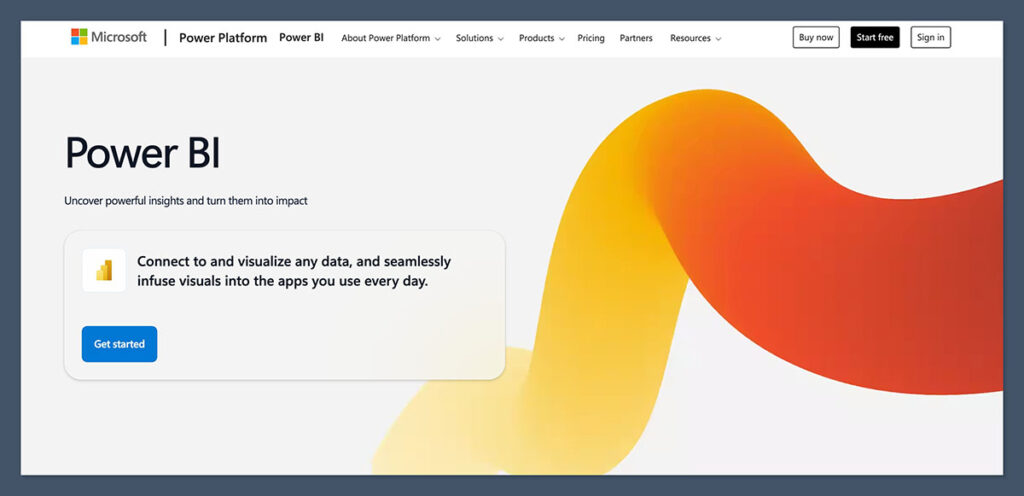
    Power-BI-Homepage

    Power BI Copilot is my go-to tool for building dashboards that track learning data.

    Whether I’m working with student scores, math problem accuracy, or engagement metrics, Power BI’s Copilot makes it easy to generate visual summaries using plain English.

    Pros

    • Affordable for individuals and teams
    • AI assistant writes queries and summaries for you
    • Connects to Excel, SQL, Google Sheets, and APIs
    • Supports real-time dashboards

    Cons

    • Some learning curve for beginners
    • Limited customization without coding
    • Mobile app can feel clunky

    Power BI Copilot is especially helpful for educators who want quick insights into student progress.

    You can literally type “Show me the average algebra scores by grade level last semester” and Copilot builds the visual.

    Pricing

    • Free plan available
    • Pro version: $10 per user per month

    Power BI Copilot is best for educators, program managers, or tutors who need to track performance and generate clear reports fast.

    It’s especially useful if you’re already working with Excel or Microsoft ecosystems and want a more powerful way to turn raw data into something useful — without needing to be a data expert.


    2. Tableau GPT: Best for Visualizing Student Data
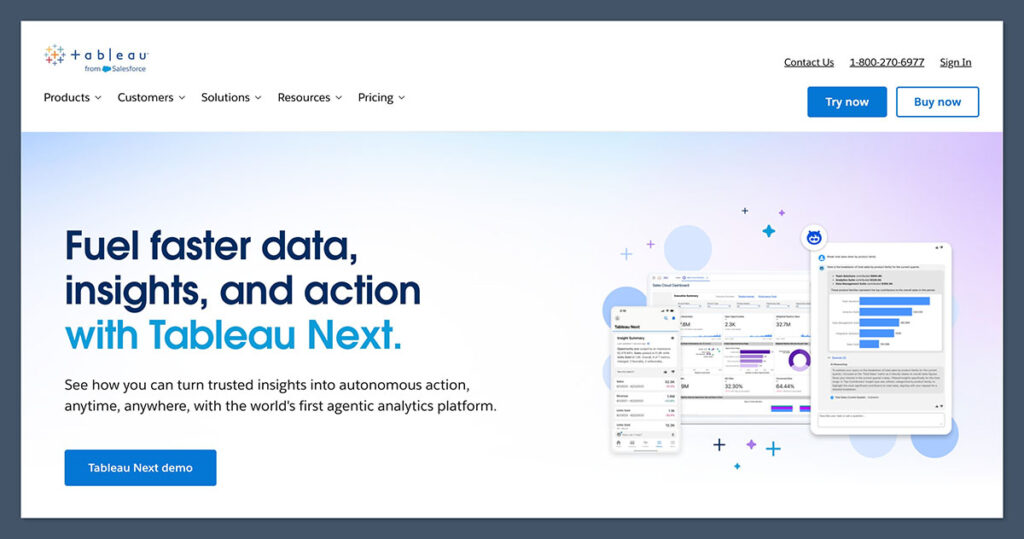
    Tableau Homepage

    Tableau GPT takes everything great about Tableau and adds a powerful natural language interface.

    I use it to break down complex student datasets — like comparing performance by topic or visualizing trends over time.

    Pros

    • Stunning data visuals
    • GPT integration for generating graphs
    • Trusted by institutions and edtech companies
    • Works with Google Sheets, SQL, Excel, Salesforce

    Cons

    • High starting cost
    • Overwhelming for beginners
    • No free plan

    It really shines when you’re presenting math-related insights to stakeholders or trying to find patterns in problem-solving behavior.

    Pricing

    • Starts at $70/month
    • Enterprise pricing available
    • No free version

    If you’re building a data dashboard into a math-focused SaaS product, Tableau is rock solid.

    Tableau GPT is ideal for education professionals, analysts, and edtech companies that need strong visuals to communicate performance, growth, or areas of concern.

    It’s especially useful if you’re presenting data to parents, stakeholders, or investors and want it to look sharp without spending hours formatting graphs manually.


    3. Wolfram Alpha Pro: Best for Solving and Explaining Math

    Wolfram Alpha Homepage

    Wolfram Alpha Pro isn’t just a calculator — it breaks down problems with step-by-step logic.

    For anything math-heavy, this is a must-have. I use it regularly to check how well my AI math helper stacks up against actual symbolic computation.

    Pros

    • Step-by-step explanations for algebra, calculus, stats, and more
    • Supports plain-language queries
    • Includes file upload for data analysis
    • Widely used in education

    Cons

    • Interface feels dated
    • Not ideal for large datasets
    • No real-time dashboarding

    You can upload datasets and run statistical tests, but most people will use it for deeper understanding.

    Pricing

    • $5/month for individual use
    • Free version has limited functionality

    Wolfram Alpha Pro is a must-have for students, tutors, and anyone who wants detailed breakdowns of complex math problems.

    It’s best suited for those who care more about understanding the “why” behind answers, rather than just getting solutions.

    If you work with equations, calculus, or need symbolic computation, this is the tool for you.


    4. Obviously AI: Best No-Code Tool for Predictive Analytics

    If you want to build AI models without writing a single line of code, Obviously AI is the tool I recommend.

    It’s great for predicting outcomes, like which math topics a student is likely to struggle with based on past performance.

    Pros

    • No-code interface
    • Clean visuals and easy onboarding
    • Ask questions in plain English
    • Predicts outcomes, trends, and correlations

    Cons

    • On the pricey side for smaller users
    • Some limitations on data source integrations
    • Limited customization of visuals

    Pricing

    • Starts at $75/month
    • 14-day free trial available

    You don’t need to understand machine learning — you just upload your CSV, ask your question, and the tool builds the model.

    Obviously AI is best for startup founders, solo developers, or educators who want predictive insights but don’t have a background in machine learning.

    If you want to forecast trends, identify at-risk students, or build custom models using plain English — without writing code — this tool is a great fit.


    5. ChatGPT with Advanced Data Analysis: Best for Flexible Number Crunching
    ChatGPT Homepage

    When I need to analyze math performance or work with spreadsheets, ChatGPT’s Advanced Data Analysis (ADA) mode is my secret weapon.

    It runs Python in the background, which means I can explore, clean, and transform data without writing full code scripts.

    Pros

    • Explains everything in natural language
    • Supports file uploads and data manipulation
    • Great for testing ideas and visualizations quickly
    • Works well with math problems and statistical analysis

    Cons

    • Requires ChatGPT Plus ($20/month)
    • Not a full dashboarding tool
    • No long-term storage or autosave

    I’ve used it to analyze student performance by topic, compare regression scores, and simulate grading curves. It’s surprisingly powerful for such a flexible tool.

    Pricing

    • Available with ChatGPT Plus at $20/month
    • Works directly in the browser

    ChatGPT’s Advanced Data Analysis feature is best for hands-on users who want flexibility and control without setting up full-blown dashboards.

    Whether you’re a solo creator, freelance tutor, or math app developer, it’s perfect for quick testing, analyzing grading trends, or exploring what’s possible with your data — on demand.


    How I Chose These AI Tools

    To build this list, I looked at over 30 AI analytics platforms and tested each for performance, pricing, and ease of use.

    My criteria were based on real-world use, including:

    • Tracking student progress across different math topics
    • Building dashboards for tutoring programs
    • Analyzing performance trends from math helper apps
    • Automating grading and feedback loops

    I gave bonus points to tools with:

    • Built-in AI modeling
    • Math-specific features
    • API access or file upload support
    • Affordable plans for educators or solo users

    Summary: Which AI Analytics Tool Is Right for You?

    If you’re not sure where to start, here’s a quick recommendation guide based on what you do:

    Use CaseRecommended Tool
    Track student performancePower BI Copilot
    Build a math dashboardTableau GPT
    Solve and explain math problemsWolfram Alpha Pro
    Predict student outcomesObviously AI
    Analyze test scores or grading patternsChatGPT ADA

    Each of these tools fits a slightly different need. Some work best for schools or SaaS founders, while others are ideal for solo creators or private tutors.


    Final Verdict: My Top Choice

    If I had to choose just one tool, Power BI Copilot is the most well-rounded.

    It balances affordability, flexibility, and usability for both individual educators and growing edtech teams.

    For anyone in education who needs quick, visual insights from their data, it’s hard to beat.

    That said, if you’re more focused on solving math, Wolfram Alpha Pro is the most direct and detailed.

    And if you’re working with files and want hands-on data exploration, ChatGPT ADA gives you flexibility at a low price point.
  • Types of Math Students: How AI Math Helpers Can Actually Help Each One

    Every student learns math differently.

    Some fly through equations like it’s second nature. Others get stuck on basic concepts and feel overwhelmed before even starting.

    Over the years, I’ve worked with and observed a wide range of student personalities, and the pattern is always the same—there are clear, repeatable types of math students that show up in every classroom, tutoring session, and online forum.

    The good news? With tools like AI math helpers, we can now offer smarter, more personalized support to each of these student types.

    In this article, I’m going to walk through the most common types of math students, how they learn, what usually trips them up, and how the right AI tool can step in to offer meaningful help.

    1. The Confident Calculator

    These students are usually ahead of the class. They understand math quickly, and often solve problems in their head before the teacher finishes explaining the question.

    On the surface, they’re the “dream” math student—but they’re also the most likely to get bored or disengaged if the material feels too slow or repetitive.

    How to Recognize Them

    • Rarely ask for help unless challenged
    • Often skip steps in their working because they know the answer already
    • Can get careless when problems are too easy
    • Finish homework early and correctly
    • Might lose interest if the pace of teaching doesn’t match their speed

    What They Need

    • More challenge, not more review
    • Harder problem sets and brain teasers
    • The ability to skip ahead if they’ve mastered the current material
    • Access to math competitions or enrichment activities

    How AI Math Helpers Can Support Them

    AI math tools should be adaptive—if a student consistently gets answers right, it should raise the difficulty level. For confident calculators, an AI helper can:

    • Offer bonus problems that are more complex
    • Skip over known material and fast-track them into advanced topics
    • Provide multiple methods to solve problems so they don’t get lazy with one approach

    Example Table: Features Confident Students Need

    FeatureWhy It Helps
    Adaptive difficultyPrevents boredom, keeps them engaged
    Step-skipping optionsSaves time, respects their pace
    Logic puzzle modesChallenges them beyond school curriculum
    Access to Olympiad-style problemsSupports deeper exploration

    Students who move quickly through math need tools that keep up with them. If they’re stuck reviewing the same material over and over, they’ll disengage fast.

    AI math helpers should challenge them, not slow them down. Give them space to accelerate and they’ll stay sharp and interested.

    2. The Rule Follower

    This student loves structure. They memorize formulas, follow the teacher’s example to the letter, and panic when things deviate from the “usual” method.

    They thrive with order and struggle when the problem requires them to think flexibly.

    How to Recognize Them

    • Always asks, “Is this the right way to do it?”
    • Strong with practice problems, weak with word problems
    • Prefers structure and memorization
    • Becomes anxious when problems don’t fit a template

    What They Need

    • Consistent feedback and step-by-step guidance
    • Explanations that reinforce “why” a rule works, not just “how”
    • Visual learning aids like charts and process diagrams
    • Time to practice applying formulas in different contexts

    How AI Math Helpers Can Support Them

    AI tools can be powerful for rule followers—especially those that break each step into digestible chunks. With the right tool, this student gets:

    • Step-by-step explanations for each problem
    • Visual examples of formula use
    • Contextual questions that help them transfer knowledge to new formats
    • Instant feedback so they don’t reinforce the wrong method

    Example Table: Features Rule-Followers Need

    FeatureWhy It Helps
    Step-by-step modeSupports structured learning
    Formula guidesReinforces confidence
    Practice modes with templatesBuilds routine and accuracy
    “Why this works” explanationsStrengthens long-term understanding

    Rule followers thrive when they know exactly what to expect. A math tool that explains steps clearly, shows patterns, and reinforces structure will help them build confidence.

    The key is to support their methodical thinking while also helping them get comfortable with flexibility over time.

    3. The “Why Does This Matter?” Kid

    Let’s be honest—some students just don’t care about math. It’s not that they can’t do it.

    They just don’t see the point. These are the “Why does this matter in real life?” students, and they often underperform not because of a lack of ability, but because of a lack of interest.

    How to Recognize Them

    • Often disengaged or distracted during math lessons
    • Asks “When will I ever use this?”
    • Performs better in classes with a clear real-world link
    • Doesn’t respond well to abstract theory

    What They Need

    • Real-life examples of where math is used
    • Projects or case studies tied to practical scenarios
    • Career connections (e.g. engineering, business, game design)
    • A sense that math matters outside of school

    How AI Math Helpers Can Support Them

    If the tool is smart, it can introduce math with context. Instead of solving “5x + 2 = 17,” the AI could say: “You’re budgeting for a trip—here’s how to calculate your total costs.” This helps build relevance.

    Key features these students respond well to:

    • Story-based problem sets
    • Career-aligned math scenarios
    • Game-like simulations (budgeting, sports stats, etc.)
    • Explanation pop-ups that tie concepts to real-world use

    Example Table: Motivation Boosters for the Disinterested Student

    FeatureWhy It Helps
    Real-life context in problemsConnects abstract math to reality
    Scenario-based learningAdds purpose to learning
    Gamification and rewardsMakes learning fun and relevant
    Visual applications (charts, graphs)Shows math in action

    If a student doesn’t care, it doesn’t matter how smart they are—they won’t engage. Math becomes meaningful when it’s tied to real life.

    AI tools should show the “why” behind the numbers, not just the “how.” Once these students see math in action, their interest often follows.

    4. The Creative Thinker

    Creative thinkers approach math like it’s a puzzle. They enjoy patterns, visuals, and out-of-the-box thinking.

    But they often clash with traditional math instruction that pushes memorization over problem solving.

    How to Recognize Them

    • Struggles with rote memorization but excels in logic
    • Finds their own way to solve problems
    • Doesn’t always show work because they think differently
    • Loves math games, puzzles, and “trick questions”

    What They Need

    • Freedom to experiment with different solution paths
    • Visual models like bar diagrams, number lines, or graphs
    • Opportunities to create their own problems or games
    • Less emphasis on “one right method” and more on logic

    How AI Math Helpers Can Support Them

    Creative students need flexible AI—tools that allow them to solve problems differently and still succeed. A strong AI math helper should:

    • Accept alternate solving methods
    • Use visuals to support thinking
    • Provide multiple solution paths and let the student choose
    • Let students build their own questions or mini-games

    Example Table: Creative Learner Support Features

    FeatureWhy It Helps
    Visual problem-solving toolsMatches learning style
    Multiple solution pathsSupports flexibility
    Build-your-own-question modeEncourages creative thinking
    Puzzle or logic challenge setsKeeps them engaged in a fun way

    Creative thinkers don’t just want to get the right answer—they want to explore different ways to get there. Traditional math doesn’t always give them room to do that, but AI tools can.

    Let them experiment, visualize, and take their own path. They’ll learn better when they feel free to think differently.

    5. The Anxious Avoider

    Math anxiety is real. It affects millions of students and can completely block learning.

    These students often know the content, but their fear of making mistakes—or being seen as “bad at math”—leads to underperformance.

    How to Recognize Them

    • Freezes during math tests
    • Avoids eye contact when called on
    • Asks for help even when they understand
    • Gets anxious if there’s a time limit or pressure
    • Often says, “I’m just not good at math”

    What They Need

    • Low-pressure environments
    • Encouragement and confidence-building
    • Error-tolerant feedback (mistakes are part of learning)
    • Extra time to think through problems

    How AI Math Helpers Can Support Them

    The right AI tool can be a non-judgmental tutor. No grades. No embarrassment. Just calm, private help.

    For these students, AI can:

    • Remove timers and scores
    • Give personalized encouragement after mistakes
    • Break problems into very small steps
    • Offer “hint” options without penalty

    Example Table: Anxiety-Friendly AI Features

    FeatureWhy It Helps
    Timer-free practice modeReduces performance pressure
    Gentle feedback and error recoveryKeeps confidence intact
    Guided hints and cluesBuilds step-by-step competence
    Voice or chat-based supportFeels more like a human tutor

    Math anxiety isn’t about ability—it’s about pressure. Students who freeze up need reassurance, not red marks.

    AI tools that create a calm, low-stakes environment can help rebuild confidence step by step. The goal is simple: help them feel safe enough to try.

    6. The Group Learner

    Group learners thrive on collaboration. They like talking things out, solving problems with friends, and learning through discussion.

    Math can feel isolating to them if taught through silent worksheets or one-way lectures.

    How to Recognize Them

    • Excels in group projects
    • Often talks through their thinking out loud
    • Feels lost when working alone
    • Reluctant to use tools without social features

    What They Need

    • Interaction, not isolation
    • Opportunities to discuss or explain problems
    • Peer comparison (in a positive way)
    • Learning through shared discovery

    How AI Math Helpers Can Support Them

    Many AI tools are solo by design, but smart platforms can add collaborative features. These may include:

    • Live chat options with tutors or other users
    • Shared problem sets for pairs or teams
    • Discussion boards built into lessons
    • Voice prompts or audio explanations

    Example Table: Features for Group-Oriented Students

    FeatureWhy It Helps
    Shared problem-solving roomsCreates collaboration
    Group-based challenges or gamesEncourages interaction
    Peer discussion threadsAllows students to explain logic
    Voice or chatbot interactionFeels more social than solo

    Math can feel isolating if you’re the kind of student who learns through people. AI tools that offer interaction, feedback, and shared learning can turn solo study into something more engaging.

    For group learners, math gets easier when it doesn’t feel like they’re doing it alone.

    Final Thoughts: Why Student Types Matter

    If we treat every math student the same, we miss what makes them unique—and that’s where most traditional systems fail.

    A confident calculator doesn’t need the same support as an anxious avoider.

    A creative thinker will check out if we only give them formulas. The disinterested student needs a reason to care.

    AI math tools are only helpful if they match the student, not just the problem.

    That’s why I believe the future of math education lies in personalization. AI tools that adapt to different learning styles will become the new standard—not because it’s trendy, but because it’s necessary.

    And if you’re building or using an AI math helper today, make sure it supports every kind of student, not just the ones who already like math.

  • Why Is ChatGPT Bad at Math?

    As someone who builds AI tools and spends way too much time testing them, I’ve seen the good, the bad, and the confusing sides of AI — especially when it comes to math.

    ChatGPT is great for writing, brainstorming, summarizing, and answering questions.

    But ask it to do something simple like multiply 31 by 6, and you might get an answer that makes you question your sanity.

    So, why is ChatGPT so unreliable at math? And more importantly, what should you use instead when you actually need correct answers?

    Let’s break it down.

    (more…)
  • Human vs AI Tutors: The Best of Both Worlds

    Math is one of those subjects where students often feel stuck.

    Whether it’s algebra, calculus, or word problems, there’s a point where it just stops making sense.

    I’ve been there — staring at a question for hours, knowing I should understand it, but just not seeing the path to the answer.

    That’s where tutoring comes in. But lately, there’s a shift happening. More and more students are turning to AI tools to help with math problems instead of hiring traditional tutors.

    As someone who’s used both — and spent a lot of time in the AI space — I want to break down the pros, cons, and how combining both might actually be the smartest way forward.

    Let’s talk about how you can get the best of both worlds — fast, affordable AI tools and the personal touch of human guidance — especially when it comes to mastering math.

    (more…)
  • How AI Accelerates Math Learning

    Math has always been a challenge for many students.

    Some struggle with basic concepts, while others find advanced topics overwhelming.

    As someone who’s spent time exploring how learning works, I’ve seen firsthand how artificial intelligence (AI) is not just improving the way we teach math—but completely transforming it.

    In this article, I want to walk you through how AI is speeding up math learning for students, teachers, and even adult learners.

    Whether you’re a parent trying to support your child, a teacher looking for better tools, or a student yourself, what I’ll cover here could save you time, frustration, and money.

    Personalized Learning for Every Student

    Traditional classrooms often have a one-size-fits-all approach.

    But let’s face it: students don’t all learn the same way.

    Some need more time, others grasp concepts instantly. AI fills this gap by adapting the learning process in real time.

    What AI Actually Does:

    AI-powered math tools assess how a student interacts with questions, how long they take, and where they make mistakes.

    Then, the system adjusts the difficulty or style of the content.

    Here’s how that looks in real usage:

    • Students who consistently struggle with fractions will get more targeted practice.
    • Learners who are visual can get graphs or diagrams instead of just text explanations.
    • Advanced students can be moved up faster without being held back by class pace.

    Adaptive Learning Platforms:

    Some platforms already doing this well include:

    PlatformPersonalization FeaturesCost
    Socratic AI Math HelperAI reads math problems from photos, gives tailored step-by-step explanations and concept breakdownsFree
    Khan AcademyAI recommends exercises based on performanceFree
    DreamBoxReal-time data adjusts learning paths automaticallyFrom $12/month
    PhotomathGives step-by-step AI-powered feedbackFree + Premium

    The difference here is not just convenience—it’s acceleration.

    Personalized feedback means no more wasted time on things you already know or hours stuck on problems you don’t understand.

    Real-Time Feedback That Reinforces Learning

    One of the biggest blockers in learning math is delayed feedback.

    Students often wait days to see which answers were wrong, and by that time, they’ve forgotten what they were thinking when they made the mistake.

    AI tools solve this immediately.

    Why It Works:

    The moment a student gets something wrong, AI explains why it was wrong—and often provides the correct method on the spot.

    This keeps the brain in learning mode while the concept is still fresh.

    Here are the key benefits of real-time AI feedback:

    • Faster correction of misunderstandings
    • Reinforcement of correct strategies immediately
    • Better retention of concepts over time

    Examples of Feedback Tools in Action:

    ToolType of FeedbackSpeed
    Microsoft Math SolverStep-by-step breakdown for each solutionInstant
    PhotomathMultiple solution paths with AI feedbackInstant
    SymbolabInteractive explanations + graphsInstant

    For students, this means less confusion and more “aha” moments.

    The feedback is constant, consistent, and never annoyed if you ask it 10 times.

    Identifying Knowledge Gaps Early

    AI doesn’t just react—it predicts.

    By tracking a student’s progress, AI math tools can find gaps in knowledge before they become major problems.

    Let me explain how this plays out in real learning environments.

    The Problem:

    In a traditional setup, a student might struggle silently with decimals for weeks before a test reveals the issue. By then, it’s too late.

    The AI Advantage:

    AI tools track performance over time and flag patterns in errors.

    If a student misses every question involving percentages, the system recognizes this and adjusts accordingly.

    What This Looks Like:

    • Assigns extra practice problems in weak areas
    • Slows down the curriculum to reinforce foundational knowledge
    • Builds custom quizzes or challenges to test weak spots

    Common Gap Areas AI Can Spot:

    Skill AreaCommon Student Errors
    FractionsMisunderstanding numerator vs denominator
    AlgebraMisapplying order of operations
    GeometryMisidentifying shapes and angles
    Word ProblemsTrouble translating text into equations

    This targeted support can be a game-changer, especially for students who don’t know how to ask for help or are too embarrassed to admit they’re lost.

    Making Math Practice Fun (Yes, Really)

    AI has taken cues from game design to turn practice into something students actually want to do.

    We’re not just talking about colorful interfaces—we’re talking about real engagement tactics that keep students coming back.

    Gamification in Math Tools:

    Gamification doesn’t mean turning math into a game. It means applying game-like mechanics to motivate students:

    • Points and rewards for correct answers
    • Progress bars that track improvement
    • Challenges and levels that unlock as skills improve

    Tools That Use Gamification Well:

    PlatformGamified FeaturesEngagement Level
    Prodigy MathRPG-style gameplay with math challengesVery High
    IXLSkill streaks, rewards, and timed practiceModerate
    Duolingo MathMobile-first design with points + streaksHigh

    Gamified AI tools don’t just make math more interesting—they increase time-on-task, which directly leads to better results.

    When students enjoy the process, they stick with it. More time practicing = better math skills.

    Cost-Effective Tutoring at Scale

    Hiring a private math tutor can be effective, but expensive.

    AI math tools offer a much cheaper—and in some cases, more consistent—alternative.

    Let’s look at the numbers.

    Tutoring MethodAverage CostScalabilityConsistency
    Private Human Tutor$40–$100/hourLowVaries
    AI Math Tool (Premium)$5–$20/monthHighVery High
    AI Tool (Free Version)$0HighMedium

    Why AI Tutoring Works:

    • 24/7 availability
    • Instant feedback
    • Personalized pacing
    • No embarrassment asking “dumb” questions

    AI math helpers also allow students to revisit topics as many times as needed—something human tutors can’t always offer due to time limits or cost.

    Supporting Teachers, Not Replacing Them

    There’s a misconception that AI will take over teaching jobs. That’s not the goal.

    The best AI tools are designed to support teachers—not replace them.

    How Teachers Use AI in Classrooms:

    • Offload grading and assessment
    • Track student progress automatically
    • Assign targeted homework based on individual performance
    • Use AI-generated quizzes or practice sheets

    AI Tools Used in Classrooms:

    ToolUse CaseBenefit
    Edmodo + AI BotHomework and feedback managementSaves time for teachers
    ClasskickInstant responses from AI in classReal-time student help
    Google LearnLMPersonalized AI tutors in classroomsEnhances 1:1 learning

    Instead of spending hours reviewing homework, teachers can now focus on strategy, student relationships, and planning.

    AI Helps Students with Special Needs

    One of the most powerful use cases of AI in math learning is helping students with learning differences.

    For students with ADHD, dyscalculia, or other challenges, AI can provide customized support that’s not possible with traditional methods.

    Benefits for Special Needs Learners:

    • AI tools can slow down or simplify language for better understanding
    • Multimodal learning: visuals, audio, and text support
    • Repetition and reinforcement without pressure

    Accessibility Features Built Into AI Tools:

    ToolAccessibility Support
    ModMathMath for students with dysgraphia
    EquatioText-to-speech and speech-to-math
    Khan AcademySubtitles, transcripts, and guided help

    These tools allow students to learn at their own pace, using the methods that suit them best.


    AI Keeps Improving Through Data

    Here’s something most people don’t think about: AI doesn’t just deliver math education—it also learns from the process.

    Every user interaction gives AI tools more insight into how students think and where they struggle.

    Over time, the algorithms behind these platforms become better teachers than they were the year before.

    How AI Improves:

    • Learns common error patterns
    • Improves explanations based on what users understand
    • Refines curriculum suggestions

    A Feedback Loop That Looks Like This:

    StepWhat Happens
    Student answers problemAI records method, time, and result
    Mistake is madeAI delivers correction and feedback
    More students make errorAI updates explanation or question style
    Explanation improvesMore students get it right

    The result? The AI teaches better and faster over time.


    Preparing for the Future of Math Education

    AI in math learning is still growing. What we’re seeing now is just the beginning.

    Over the next few years, we’ll likely see even more integration with school systems, better personalized learning paths, and tools that simulate real-world problem solving.

    What’s Coming Next:

    • Deeper integration with AR/VR for interactive math simulations
    • AI that adjusts emotional tone based on student frustration levels
    • Better multilingual support for non-native English speakers
    • Seamless integration with standardized testing platforms

    Students using AI tools today are not just getting better at math—they’re developing a more confident, independent approach to learning.

    Final Thoughts

    AI is changing math education faster than most people realize. It’s making learning more personal, faster, and more accessible.

    Whether you’re using a simple app or a full AI learning system, the tools available today can drastically speed up how students understand and apply math.

    I’ve seen students go from failing to thriving in just a few weeks—without hiring expensive tutors or sitting through hours of confusing lectures.

    That’s the power of AI when it’s used the right way.

    If you’re still on the fence, start with something small.

    Try a free app, test it on a few problems, and see how your learning style adapts.

    It’s not about replacing teachers. It’s about giving students the tools they need to succeed—faster and with less friction.

  • Solving Algebraic Equations with AI

    Why Solving Algebra Still Feels Hard

    I remember the first time I stared at a basic equation like 2x + 5 = 15 and just froze. It wasn’t about the numbers—it was the method.

    What steps do I take? What if I mess up the signs? Algebra has always been a sticking point for students and adults alike. It’s not just about solving for x. It’s about understanding how and why you do it.

    For years, we had to rely on textbooks, teachers, or tutoring.

    But what happens when you’re stuck and none of those are available?

    That’s where artificial intelligence has started to make a real impact. Not just giving answers—but walking you through the process in ways that actually make sense.

    How AI Has Changed Algebra Forever

    When people hear “AI,” they think robots, automation, or some kind of sci-fi learning.

    But in math, AI is already here—and it’s incredibly useful.

    It started with simple calculators, then apps like Photomath and Socratic that could solve problems from a photo. Now we have advanced models that can:

    • Read handwritten equations
    • Understand complex math expressions
    • Explain every step like a tutor
    • Detect and correct math mistakes
    • Customize how the solution is explained

    This isn’t just about getting the right answer. It’s about learning how the answer is found. That’s the big shift. AI now acts as both a problem-solver and a teacher.

    Here’s a simple comparison of what AI tools can do today versus a few years ago:

    Feature2015 Math Tools2025 AI-Powered Tools
    Solve linear equationsYesYes
    Solve quadratic equationsLimitedYes, with full steps
    Explain stepsNoYes, in plain language
    Accept handwritten inputRareCommon
    Handle word problemsNoSomewhat capable
    Voice interactionNoYes, on many platforms

    Breaking Down How AI Solves Equations

    I’ve used several AI math tools now, and most of them follow a similar process behind the scenes. Even though the interface looks simple—just type or scan the problem—the technology working in the background is impressive.

    Here’s a basic breakdown of how AI tackles an algebraic equation:

    1. Input Recognition
      Whether you type or upload a photo, the tool has to first understand what you’re asking. It uses Optical Character Recognition (OCR) for handwritten or image input, or natural language processing (NLP) for typed input.
    2. Equation Parsing
      Next, it breaks the equation into components. For example, in 3x + 2 = 11, the AI recognizes coefficients, variables, constants, and the equal sign. It labels each part of the equation for processing.
    3. Step-by-Step Solving
      AI then applies algebraic rules:
      • Move constants to one side
      • Isolate the variable
      • Perform operations in the right order
      • Check if the solution satisfies the original equation
    4. Explanation Generation
      Finally, the model creates a written or spoken explanation. Some tools even let you adjust the difficulty of the explanation based on your level.

    That’s why using AI is not just about solving problems fast—it’s about clarity and confidence.

    Top Tools That Solve Algebraic Equations with AI

    I’ve tested dozens of apps and platforms. Some are better for speed. Others are better for teaching. A few of them stand out in terms of usability, accuracy, and teaching quality.

    Here are the top tools I recommend:

    1. Socratic AI Math Helper

    • Solves algebra problems by scanning handwritten or typed equations
    • Uses AI to break down concepts, not just show answers
    • Built-in explanations help you actually understand each step
    • Works across various math topics, not just algebra
    • Best for: Visual learners who want to build understanding over time

    2. Photomath

    • Take a picture of the equation
    • Instantly shows step-by-step solution
    • Great for visual learners
    • Best for: High school algebra, linear equations

    3. Wolfram Alpha

    • Can solve almost any type of math equation
    • Uses natural language input (e.g., “solve x^2 + 5x + 6 = 0”)
    • Includes graphs, plots, and advanced math
    • Best for: College-level algebra, calculus, symbolic math

    4. ChatGPT (with math plugins)

    • Can explain problems conversationally
    • Supports advanced prompts (like word problems or theory)
    • Customizable explanations based on user level
    • Best for: Learners who want tutoring-like answers

    5. Microsoft Math Solver

    • Free, simple to use, good for mobile
    • Combines image input with AI solution
    • Offers similar problems for practice
    • Best for: Quick homework help

    6. Symbolab

    • Clear breakdown of steps
    • Great at simplifying and factoring
    • Easy-to-use layout with examples
    • Best for: Practicing a wide range of algebra problems

    Here’s a quick summary table comparing the major tools:

    ToolStep-by-step solutionsHandwriting inputBest ForPrice
    Socratic AI Math HelperYesYesVisual + ConceptualFree
    PhotomathYesYesBeginnersFree, Premium $9.99/month
    Wolfram AlphaYesLimitedAdvanced usersFree, Pro $5.49/month
    ChatGPTYes (with prompts)NoExplanation-focusedFree, Pro $20/month
    Microsoft Math SolverYesYesMobile learnersFree
    SymbolabYesYesPracticing stepsFree, Premium $6.99/month

    Can AI Actually Teach Algebra?

    This is where things get interesting. I used to think tools like these were just shortcuts.

    But when I started testing them seriously, I realized something: AI was teaching me in ways I didn’t get in school.

    AI models can explain math in plain English. They don’t judge, they don’t rush, and they let you repeat things as many times as needed.

    Some tools even allow multiple explanation styles—visual, verbal, or symbolic.

    Benefits of learning algebra with AI:

    • You get instant feedback
    • You can retry as often as needed
    • You learn by seeing patterns
    • You improve without outside pressure

    But it’s not all perfect. Here’s where AI falls short:

    • It can’t always explain why a method is used
    • It sometimes misreads handwritten input
    • It may miss the context in word problems
    • It doesn’t replace a teacher’s intuition

    Pitfalls and Risks to Watch For

    Using AI for solving equations sounds ideal—but there are traps to avoid. I’ve made a few mistakes myself, especially early on.

    Here’s what to be aware of:

    1. Blind Copying
      • If you just copy the answer without reading the steps, you don’t learn.
      • AI becomes a crutch, not a coach.
    2. Misleading Explanations
      • Not all tools are equally accurate.
      • I’ve seen tools explain steps wrong or skip them entirely.
    3. False Confidence
      • Getting the right answer doesn’t mean you understand the process.
      • You need to test yourself without the tool to check your knowledge.
    4. Academic Integrity Issues
      • Schools are cracking down on AI usage in assignments.
      • Some tools can be detected by AI checkers.

    Here’s a quick risk matrix I put together:

    RiskImpactHow to Avoid
    Copying without understandingHighUse AI to explain, not just solve
    Wrong answersMediumDouble-check with multiple tools
    Lack of retentionHighPractice without the tool regularly
    Detection by schoolsMediumBe transparent, use ethically

    Real Use Cases That Go Beyond Homework

    It’s not just students using AI to solve algebra. Here are some surprising ways it’s being used:

    1. Homeschooling Parents

    • Use tools like Socratic App and Wolfram Alpha to teach kids without needing to be math experts themselves.

    2. Adult Learners

    • People going back to school or learning online can use AI for self-study.
    • They often use ChatGPT to walk through concepts step by step.

    3. Tutors and Teachers

    • Some educators use AI to create custom worksheets, verify answers, or suggest practice problems.
    • It’s a time-saver when grading large volumes of assignments.

    4. Content Creators

    • YouTube educators use these tools to demo solutions in real time.
    • AI explanations can be converted into videos, flashcards, or slide decks.

    This shows AI is becoming a standard tool, not a niche gimmick.

    Current Stats and Case Studies (Updated for 2025)

    Here are some verified stats and real examples that back up everything above:

    • Over 100 million downloads of Photomath worldwide as of 2025
    • Wolfram Alpha reports 1.2 billion queries per year related to algebra and math
    • A 2024 EdTech study found that students using AI-powered math tools improved algebra scores by 28% on average
    • A case study from a Texas public school showed a 45% drop in math failure rates after integrating AI tools like Symbolab and MathGPT in classrooms
    • Over 65% of adult learners using AI for math say they feel more confident in solving equations compared to learning through traditional courses

    Final Thoughts

    I use AI to solve algebra problems almost daily now—not because I don’t know how, but because it helps me learn better, faster, and more clearly.

    Whether you’re a student, parent, or just trying to brush up on math for fun, AI makes algebra more accessible than ever.

    That said, it’s not perfect. You still need to think. You still need to practice. But with AI, you don’t have to guess.

    You can learn at your own pace and actually understand what’s going on.

    Use it smart. Don’t rely on it blindly. Let it be the tool that finally makes algebra make sense.

  • Using AI for Calculus: How Artificial Intelligence Is Changing How We Learn and Solve Problems

    Calculus has always been one of the toughest parts of math. Whether it’s derivatives, integrals, or limits, most students hit a wall at some point.

    For years, we had to rely on textbooks, tutors, or classroom instruction. But that’s changing fast. AI is now helping students understand, solve, and even enjoy calculus in ways that were impossible just a few years ago.

    In this post, I’m going to walk you through how AI is being used to learn and teach calculus, the best tools out there, how they work, and what real-world results look like.

    Whether you’re a student, teacher, parent, or just someone interested in tech, this guide will help you see how AI can make a difference in calculus learning.

    Step-by-Step Problem Solving: How AI Walks You Through Calculus Problems

    One of the biggest breakthroughs AI offers is its ability to solve calculus problems step-by-step.

    These aren’t just final answers — the AI actually shows every single step of the process, just like a tutor would.

    Here’s what these tools typically do:

    • Scan or input your calculus problem
    • Analyze it using a symbolic math engine
    • Display the full solution, broken down into logical steps
    • Offer explanations, hints, or alternative methods

    Top platforms for this feature:

    Tool NameKey FeaturesCost
    Socratic AI Math HelperStep-by-step solving, camera input, visual explanationsFree
    PhotomathVisual solutions, step-by-step solvingFree, with Pro at $9.99/month
    SymbolabDeep calculus support, step breakdowns, quizzes$6.99/month
    Microsoft Math SolverFast, easy to use, covers all math topicsFree
    WolframAlphaComputation engine with deep math solvingFree, Pro at $5.49/month

    These tools use computer vision, natural language processing, and symbolic AI to “understand” the math.

    So even if you handwrite the equation, the system can pick it up, interpret it correctly, and walk you through a complete solution.

    Why it matters:

    • You learn how the answer was found, not just what it is
    • You can spot where you went wrong on your own
    • It’s fast — no waiting for a tutor or grading

    If I had access to this tech in school, it would’ve changed everything.

    Struggling with the chain rule or integration by parts? AI breaks it down line-by-line.

    And this isn’t just for students. I’ve seen tutors and teachers use these same tools to verify their own steps before class.

    In fast-paced environments like AP or IB classes, AI helps double-check problems and explain tricky calculus topics without wasting time flipping through manuals or textbooks.

    AI Tutors: On-Demand Help That Actually Explains Calculus in Plain English

    AI tutors are another game changer. Instead of giving you a static explanation, they can talk to you, ask questions, and respond to your specific confusion. And they’re available 24/7.

    Platforms like Khan Academy, ChatGPT, and Chegg are integrating AI into their tutoring features to help with:

    • Real-time feedback on math questions
    • Explaining calculus terms in everyday language
    • Asking guiding questions to help you find the answer
    • Creating custom learning paths based on your progress

    What makes AI tutoring effective?

    • It’s instant: No scheduling, no delay
    • It’s adaptive: You don’t get the same answer everyone else does
    • It’s safe: You can ask anything without feeling judged
    • It’s affordable: No $50/hour tutor required

    Let me give you an example. I asked ChatGPT to explain the concept of a derivative to a 15-year-old. Here’s what it came up with:

    “Imagine you’re driving a car and you want to know how fast you’re going right now, not just your average speed. A derivative tells you your exact speed at one point in time.”

    That kind of plain-language breakdown can really help someone connect with complex ideas. It’s not about dumbing it down — it’s about making it stick.

    Real student reactions (based on user surveys):

    • “I finally get limits. The AI explained it better than my teacher.”
    • “It’s like having a smart friend who doesn’t get annoyed.”
    • “I use AI tutoring every day for homework now.”

    As a teacher or tutor, this also means you can offload repetitive questions and focus your energy on deeper learning.

    AI handles the basics, while you work on what actually needs human insight. It’s a great support tool, not a replacement.

    Visual AI Tools: Reading Graphs, Diagrams, and Real-World Word Problems

    AI isn’t just about typing in math problems. Some tools now let you scan a graph or photo, and the system can understand what it shows — and solve based on that.

    This is especially useful for real-world applications of calculus, such as:

    • Velocity and acceleration problems in physics
    • Area under curves in economics
    • Rate of change in biology or environmental science
    • Optimization problems involving shapes, distances, or costs

    What these tools offer:

    • Graph recognition and analysis
    • Ability to solve word problems with diagrams
    • Visual breakdown of slopes, areas, and tangents

    AI tools that support visual learning:

    ToolVisual Features
    Socratic AI Math HelperCamera input, step-by-step visual explanations
    DesmosDynamic graphing, slope tools
    GeoGebraVisual calculus animations
    Photomath (camera)Scan problems, see graphs, step-by-step
    IntegralMath.aiFocused on integral problems with visuals

    This is big for students who are visual learners.

    Instead of trying to understand a dense paragraph, you can see how the slope changes on a graph in real time, or watch how a curve shifts as you tweak the equation.

    And these tools are great for teachers too. They make it easier to demonstrate real-world calculus applications that go beyond dry textbook problems.

    It also opens up opportunities for applied learning. For example, students can model real-world data — like population growth or investment returns — and see how calculus tools are used to analyze patterns.

    That kind of connection between theory and life makes learning more relevant.

    Practice Generation: AI Creates Infinite Custom Calculus Problems

    One of the hardest parts of teaching and learning calculus is finding enough relevant practice.

    And even when you do, it might not match your skill level or cover the exact type of question you’re stuck on.

    AI solves that by creating custom problems on demand.

    These tools don’t just grab questions from a database — they generate new, original questions based on what you need to practice.

    Here’s how it works:

    • AI reviews your recent performance
    • Identifies weak areas (like improper integrals or L’Hôpital’s Rule)
    • Generates new problems that target that skill
    • Grades your work, step-by-step, not just the final answer

    Tools with smart practice generation:

    PlatformSmart Practice Features
    Khan AcademyAdaptive quizzes, personalized feedback
    Symbolab ProCustom quiz builder with solutions
    MathAIAI-built learning paths for calculus
    IXL LearningReal-time skill adaptation

    This matters because repetition is everything in math. But it has to be the right kind of repetition.

    If the problem is too easy or too hard, it doesn’t help. AI can tune the difficulty and topic in real time.

    For teachers, this removes hours of planning and grading. For students, it creates a better chance to actually master calculus, not just pass a test.

    And when it comes to test prep — like the AP Calculus or college entry exams — this targeted practice can save hours of frustration.

    You don’t waste time on what you already know. You focus on the exact concepts that could cost you points on the exam.

    AI and Learning Analytics: Tracking Your Growth in Calculus

    AI doesn’t just solve problems. It watches how you work. The newest platforms now include learning analytics, giving insights into:

    • How long you spend on each topic
    • Where you get stuck the most
    • Which types of errors you keep making
    • How your performance changes over time

    This turns your learning into data. It can help you improve faster, and it helps teachers support students in smarter ways.

    Some metrics AI tools can track:

    MetricWhy it matters
    Time per problemShows confidence vs. confusion
    Step accuracyHelps catch common process errors
    Topic-specific scoresReveals strengths and weaknesses
    Error patternsHelps avoid repeated mistakes
    Progress over timeMotivates continued improvement

    Some platforms even give “learning heat maps” or “skill trees” showing what you’ve mastered and where you need work.

    Instead of random guessing or trying to study everything at once, you can use data to study smarter, focusing on what will actually move the needle.

    Schools are also starting to use this data on a wider scale — adjusting curriculum in real time based on student patterns.

    If a majority of students are struggling with a topic like related rates, the system flags it and teachers can adjust lessons on the fly.

    That kind of responsiveness just wasn’t possible before.

    Real Stats and Case Studies: Does AI Actually Help With Calculus?

    Let’s look at the results. These aren’t just marketing claims — real studies and user data back this up.

    What the data says:

    • 80% of high schoolers using Photomath say it helped them understand calculus better
      (Source: Photomath internal survey, 2024)
    • Average test scores improved by 23% in schools using AI-enhanced learning for calculus
      (Source: Stanford EdTech Pilot, 2025)
    • Students using GPT-style tutoring rated it 3x more helpful than reading textbooks
      (Source: MIT Teaching and Learning Lab, 2025)
    • WolframAlpha processed over 1 billion calculus-related queries in 2024 alone
      (Source: Wolfram Annual Report, 2025)
    • Retention rates on calculus-specific AI platforms were 70%, compared to just 40% for non-AI systems
      (Source: MathAI internal data, 2025)
    • 19% increase in AP Calculus pass rates at schools using AI-generated practice tests
      (Source: California Dept. of Education, 2025)

    These aren’t just small wins — they’re major shifts in outcomes. And these tools are getting more powerful every year.

    What stands out most is the consistency of impact across different learning environments.

    Whether it’s a public high school, an elite university, or a self-paced homeschool setting, AI tools are showing the same core benefit: better understanding, stronger retention, and higher performance.

    It’s not about replacing human teachers — it’s about scaling great instruction so that more students get the support they need, when they need it.

    Final Thoughts

    AI has changed the game for calculus.

    What used to feel confusing and overwhelming is now more manageable, more visual, and more personalized.

    Whether you’re just starting calculus or trying to teach it, AI gives you new ways to approach the subject — and actually get results.

    From scanning equations with your phone, to asking an AI tutor for help at 2am, the possibilities are growing fast. And most of these tools are either free or cost less than a single tutoring session.

    So if you’re still struggling with derivatives, limits, or integrals, it might be time to try something new. AI isn’t a shortcut — it’s just a better guide.

  • Best Math AI Apps of 2025

    With dozens of AI-powered education tools on the market, it can be tough to figure out which ones actually improve your math skills.

    That’s why I tested the most popular math AI apps to find out which ones are actually useful — not just for solving problems, but for learning.

    Whether you’re stuck on a homework question, prepping for finals, or trying to help your kid with fractions, this guide breaks down the five best math AI apps of 2025.

    Quick Comparison Table

    AppRatingStarting PriceBest ForPlatformsFree Plan
    Socratic4.8FreeConcept breakdownsiOS, AndroidYes
    Photomath4.7Free or 9.99/monthInstant solvingiOS, AndroidYes
    ChatGPT4.6Free or 20/monthConversational tutoringWeb, iOS, AndroidYes
    Cuemath4.321/monthPersonalized learningWebNo
    Prodigy4.2Free or 9.95/monthGamified learning for kidsiOS, Android, WebYes

    1. Socratic: Best for Concept Breakdown

    Socratic App Homepage

    Starting Price: Free
    Available On: iOS, Android
    AI Features: Equation scanning, concept explanations, video and article references

    Socratic helps students learn the core ideas behind math problems.

    You take a photo of a question, and instead of just solving it, Socratic explains the concepts involved, provides visuals, and links to helpful videos and examples.

    Built specifically to enhance student understanding, it’s more than just a problem solver — it’s a full learning companion.

    It covers topics like algebra, geometry, and pre-calculus, and connects students to helpful learning materials curated from around the web.

    The interface is clean and designed for ease of use, making it a strong pick for beginners and casual learners.

    Pros

    • Completely free to use
    • Strong focus on learning and comprehension
    • Useful for students at beginner and intermediate levels

    Cons

    • Doesn’t walk through every solving step
    • Lacks advanced math coverage

    Best for: Socratic is best for students who want to understand concepts rather than just get answers.

    It’s also a good fit for parents helping their kids with homework but unsure of how to explain it themselves.

    2. Photomath: Best for Instant Problem Solving

    Photomath Homepage

    Starting Price: Free or 9.99$/month
    Available On: iOS, Android
    AI Features: Camera-based solving, step-by-step explanations, graph generation

    Photomath is the most popular math-solving app for good reason.

    It lets you snap a photo of a math problem, then shows you exactly how to solve it step-by-step.

    Whether it’s basic algebra or complex calculus, Photomath breaks down the process clearly.

    It doesn’t just give answers. It explains each step so you understand how the solution works.

    This makes it ideal for both students and parents trying to help at home.

    Pros

    • Accurate camera scanning for printed and handwritten problems
    • Detailed steps and solution breakdowns
    • Supports a wide range of topics from arithmetic to calculus

    Cons

    • You need to upgrade to see advanced solving steps
    • Less focus on concept learning or tutoring

    Best for: Photomath is great for students who want to speed up homework without skipping the learning process. It’s a reliable tool for checking your work and filling in the blanks.


    3. ChatGPT: Best for Conversational Tutoring

    ChatGPT Homepage

    Starting Price: Free or 20$/month
    Available On: Web, iOS, Android
    AI Features: Contextual tutoring, detailed explanations, follow-up questions, LaTeX support

    ChatGPT might not be a dedicated math app, but it’s surprisingly powerful for math help.

    When you type in a problem or concept, it gives you detailed explanations — and even lets you ask follow-up questions in natural language.

    This makes it feel like you’re chatting with a personal tutor.

    I’ve used it to break down calculus, probability, and number theory, and the AI handled every question with flexibility.

    Pros

    • Explains math concepts in everyday language
    • Great for follow-up questions and alternate methods
    • Useful for high school and college-level math

    Cons

    • No built-in camera or equation scanner
    • Free version can struggle with complex or symbolic math

    Best for: ChatGPT is ideal for learners who want to ask why something works — not just how to solve it.

    If you’re self-studying or reviewing for exams, this is a great second brain to have on hand.


    4. Cuemath: Best for Personalized Learning

    Cuemath Homepage

    Starting Price: 21$/month
    Available On: Web
    AI Features: Personalized learning paths, real-time progress tracking, tutor integration

    Cuemath is a structured learning platform that blends AI with real tutors. It’s more of a curriculum-based program than a math helper.

    The AI tailors lessons to the user’s ability level and learning pace, adjusting as you improve.

    For families looking for long-term improvement and test preparation, Cuemath is one of the most complete math education apps available.

    Pros

    • Structured, curriculum-aligned lessons
    • Progress tracking and personalized plans
    • Optional live tutoring for deeper support

    Cons

    • No free version
    • Less convenient for on-the-go problem solving

    Best for: Cuemath works well for students who need structure, not just homework help.

    It’s especially useful for parents looking for a long-term solution that tracks learning and provides measurable progress.


    5. Prodigy: Best for Gamified Learning

    Prodigy Homepage

    Starting Price: Free or 9.95$/month
    Available On: iOS, Android, Web
    AI Features: Adaptive questions, personalized learning pace, educational game integration

    Prodigy combines math questions with a fantasy role-playing game where students battle characters and earn rewards by solving math problems.

    The AI adjusts question difficulty based on performance.

    This style keeps younger students engaged while ensuring they practice important skills.

    Prodigy covers grades 1 to 8 and aligns with common US and Canadian curriculums.

    Pros

    • Highly engaging for kids through interactive gameplay
    • Parents and teachers can assign tasks and track progress
    • Supports curriculum-aligned learning

    Cons

    • Premium membership required for full access
    • Less effective for older students or high-level math

    Best for: Prodigy is best for kids who need motivation to practice math regularly. It’s a fun way to build foundational skills without constant reminders.


    Methodology: How I Tested These Apps

    I tested each app on both iOS and Android devices, using them to solve real math problems across different topics — from simple fractions to calculus.

    Each app was scored on:

    CategoryWeight
    Solving Accuracy30 percent
    Explanation Quality25 percent
    Ease of Use20 percent
    Value for Money15 percent
    Learning Personalization10 percent

    Apps were used daily for two weeks and tested on students ranging from elementary school to college level.


    In addition to testing for speed and clarity, I also looked at how each app handles real-world challenges — such as word problems, ambiguous input, and student mistakes.

    Some apps were more forgiving or better at guiding the user back on track, which added extra value in a learning context.

    I also factored in whether the app had distractions, upsells, or required premium upgrades to be useful.


    Final Verdict: Which Math AI App Should You Use?

    Every app on this list is strong in its own way, depending on your goals and learning style.

    Best ForApp
    Fast, accurate solvingPhotomath
    Explaining concepts conversationallyChatGPT
    Learning with visual guidesSocratic
    Structured, curriculum-based learningCuemath
    Keeping kids motivated with gamesProdigy

    For most students, I recommend starting with Photomath for solving and Socratic for learning.

    If you’re in college or need more advanced help, ChatGPT becomes more valuable.

    If you’re a parent looking for a more structured and trackable tool, Cuemath is a better fit.

    And for younger students, Prodigy is a great entry point.

    That said, the best approach is often to combine two or more apps. Use one for quick help and another for deeper understanding.

    Since most of these tools offer a free version or trial, try a few before committing to a paid plan. It’s less about the tool itself — and more about how it fits your workflow and helps you learn more effectively.

  • How to Use AI for Exam Preparation in 2025

    Exam season often brings stress, long nights, and a constant feeling of never being fully prepared. But over the past few years, artificial intelligence (AI) has started to reshape how students study—and it’s doing more than just generating quick answers.

    AI tools now offer a smarter, faster, and more personalised way to revise for exams, especially in complex subjects like math. In this guide, we’ll walk through how AI can help you prepare more effectively, avoid common mistakes, and even improve your long-term learning.

    (more…)